
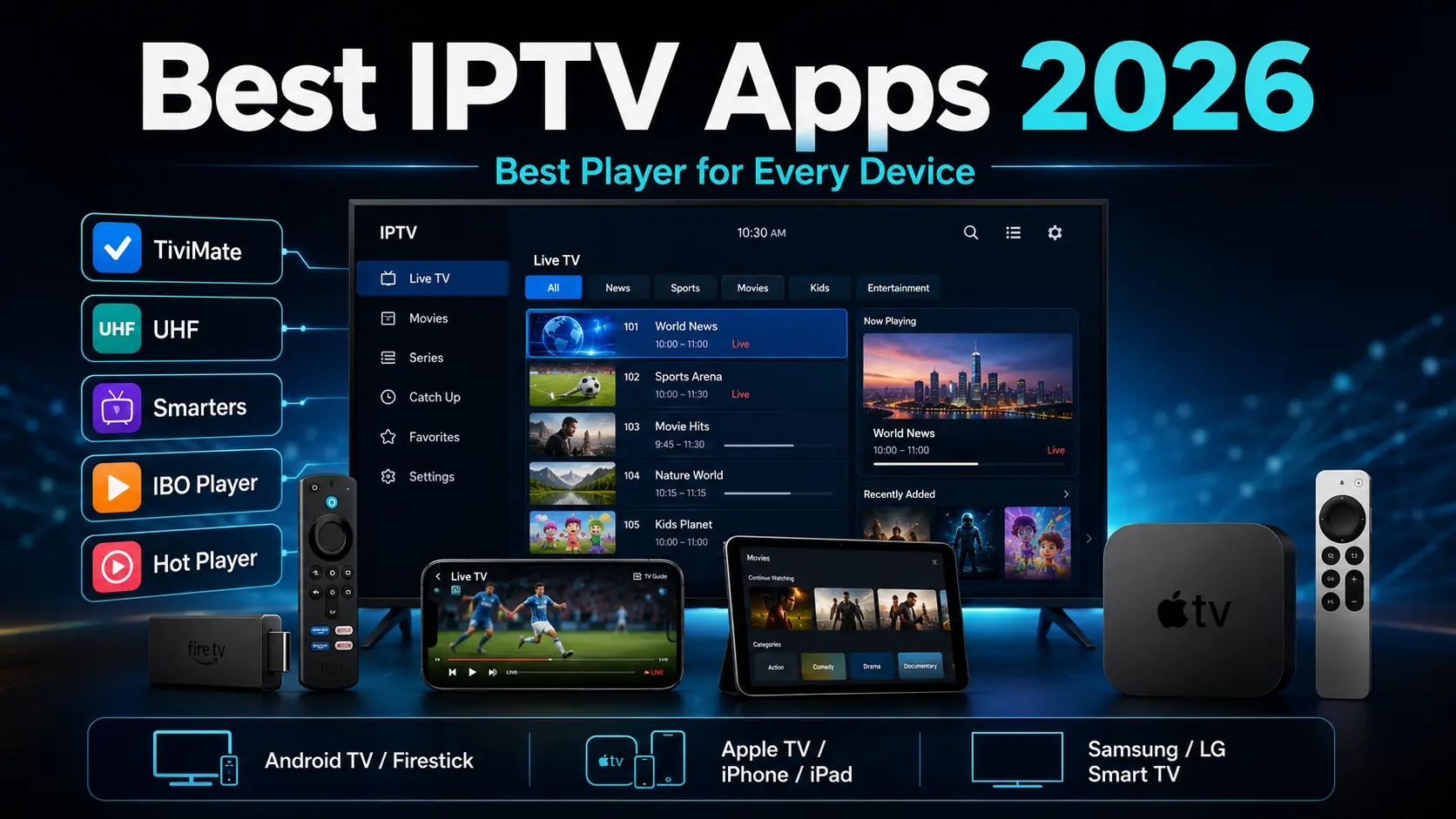
If you're looking for the best IPTV app in 2026, the right choice depends heavily on the device you're using.
An app that is excellent on an Android TV box may not even be available on Apple TV, while an IPTV player designed specifically for iPhone and Apple TV may not be the best choice for a Firestick or NVIDIA Shield.
After testing and supporting IPTV apps across a wide range of devices, our current recommendations are:
Best IPTV Apps in 2026 – Quick Recommendations
Firestick / Android TV / Google TV: TiviMate
NVIDIA Shield: TiviMate
Android Phones & Tablets: IPTV Smarters Pro
Apple TV: UHF – Love Your IPTV
iPhone & iPad: UHF – Love Your IPTV
Mac: UHF – Love Your IPTV
Second Choice for Apple Devices: Smarters Player Lite
Samsung Smart TV: IBO Player / IBO Player Pro
LG Smart TV: IBO Player
Alternative Smart TV Player: Hot Player
The player itself does not provide television channels or subscriptions. IPTV players are simply applications that organize and play a compatible playlist supplied by a provider.
If you need a playlist to test one of these apps, XtremeDiscount offers a free 36-hour Xtreme HD IPTV trial with no payment information required.
Best IPTV App by Device
| Device | Our #1 Choice | Alternative |
|---|---|---|
| Firestick / Fire TV running Fire OS | TiviMate | IPTV Smarters Pro |
| Android TV / Google TV | TiviMate | IPTV Smarters Pro |
| NVIDIA Shield | TiviMate | IPTV Smarters Pro |
| Android Phone / Tablet | IPTV Smarters Pro | IBO Player |
| Apple TV | UHF – Love Your IPTV | Smarters Player Lite |
| iPhone / iPad | UHF – Love Your IPTV | Smarters Player Lite |
| Mac | UHF – Love Your IPTV | IBO Player |
| Samsung Smart TV | IBO Player / IBO Player Pro | Hot Player |
| LG Smart TV | IBO Player | Hot Player |
| Windows PC | IPTV Smarters Pro | IBO Player |
App availability can vary by television model, operating-system version and country.
1. TiviMate – Best IPTV App for Firestick, Android TV & Google TV
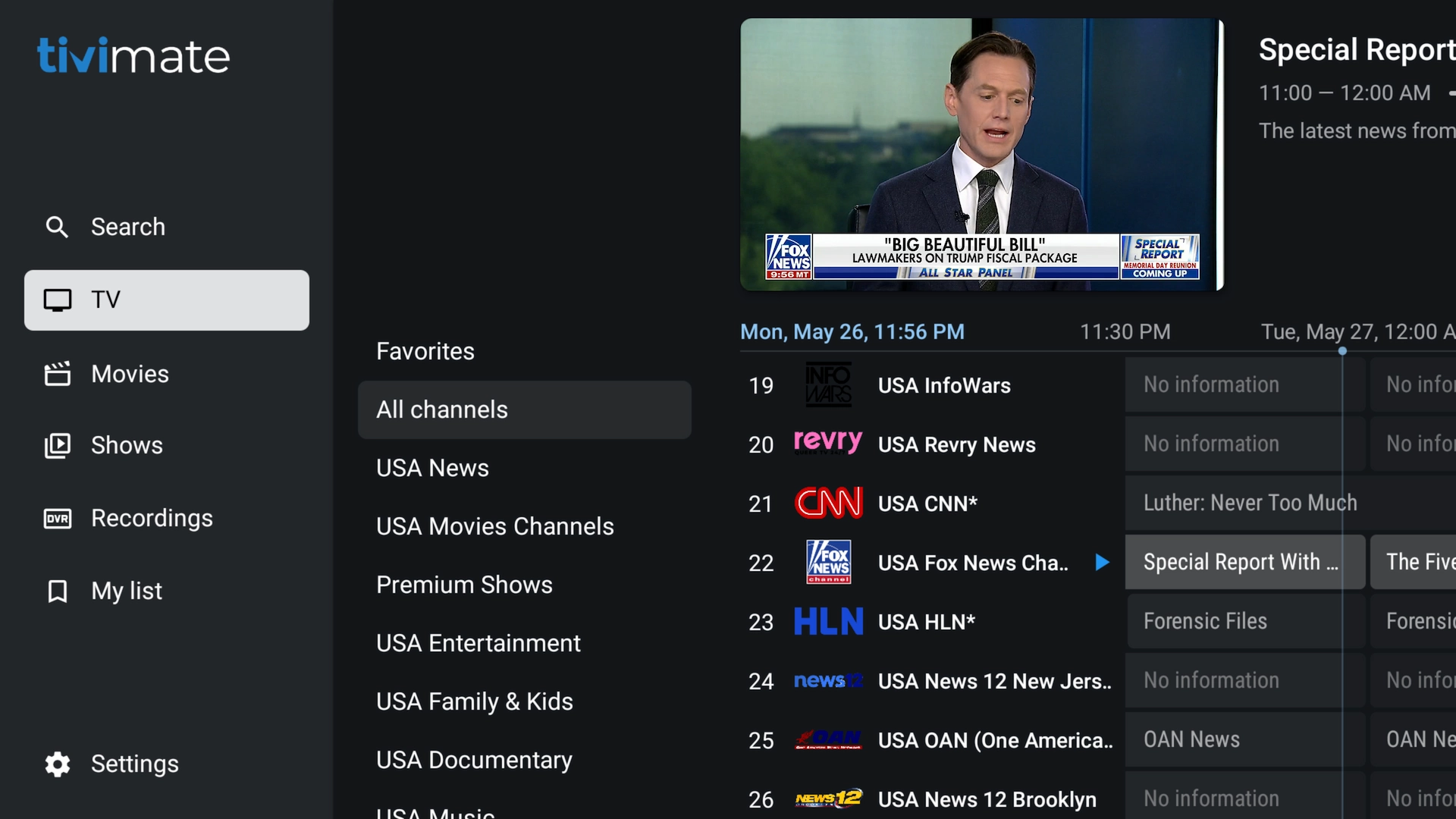
TiviMate remains our first choice for televisions and streaming boxes that run Android TV, Google TV or compatible Fire OS versions.
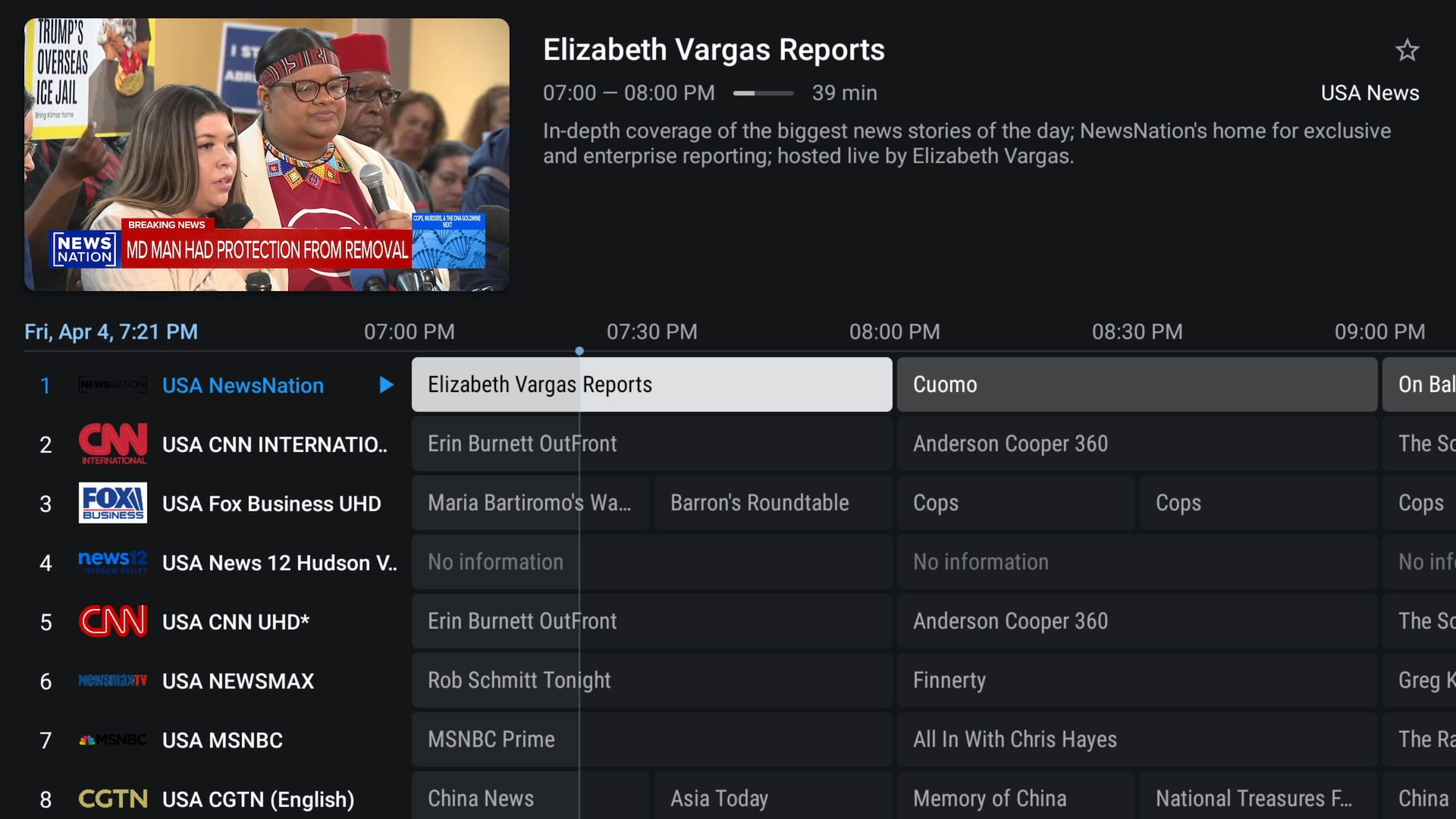
TiviMate is built specifically around a television screen and remote control rather than a touchscreen. Its interface feels closer to a traditional cable or satellite TV guide than most IPTV applications.
Best Devices for TiviMate
- Android TV boxes
- Google TV devices
- NVIDIA Shield TV
- Compatible Firestick and Fire TV devices running Fire OS
- onn. Google TV streaming boxes
- Xiaomi Google TV boxes
- Other compatible Android TV devices
Why We Recommend TiviMate
- Excellent television-style interface
- Fast remote-control navigation
- Full electronic program guide
- Favorites
- Multiple playlists
- Catch-up support when supplied by the playlist
- Recording features
- Search
- Parental controls
- Multiview
- Extensive customization
Who Should Use TiviMate?
If you primarily watch IPTV on a television and use a remote control, TiviMate is usually our first recommendation.
It is especially good for large channel lists because its categories, favorites and EPG make it much easier to navigate thousands of channels.
Important: TiviMate is designed for TV-style Android devices. It is not our recommendation for iPhone, iPad or touchscreen Android phones.
Read our complete TiviMate installation guide →
Important 2026 Firestick Note: Fire OS vs Vega OS
Amazon is changing the operating system used by its newest Fire TV Stick models.
Traditional Firesticks use Fire OS, which is based on Android and supports Android applications.
Newer models such as the Fire TV Stick 4K Select use Amazon's new Vega OS. Amazon has announced that future Fire TV Sticks will use Vega OS.
That means you should not assume that an Android APK such as TiviMate will install on every new Fire TV Stick going forward.
If your main goal is having maximum flexibility with Android TV apps, consider a Google TV or Android TV device instead.
See our Best Android TV Boxes & Firestick Alternatives guide →
2. UHF – Love Your IPTV – Best IPTV App for Apple TV, iPhone & iPad
For Apple users, our current first choice is UHF – Love Your IPTV.
UHF is designed for the Apple ecosystem and offers a modern interface across Apple TV, iPhone, iPad and compatible Mac computers.
For customers who ask us for the best IPTV app for Apple TV, this is now the app we recommend first.
Best Devices for UHF
- Apple TV
- iPhone
- iPad
- Compatible Macs
Why We Recommend UHF
- Excellent Apple-style interface
- Xtream Codes support
- M3U/M3U8 playlist support
- Electronic program guide
- Live TV, movies and series sections
- Favorites and category organization
- Catch-up support
- Picture-in-Picture support
- AirPlay and Chromecast support
- 4K HDR support on compatible hardware/content
- Dolby Vision and Dolby Atmos support
- Trakt integration
- Optional multi-device synchronization
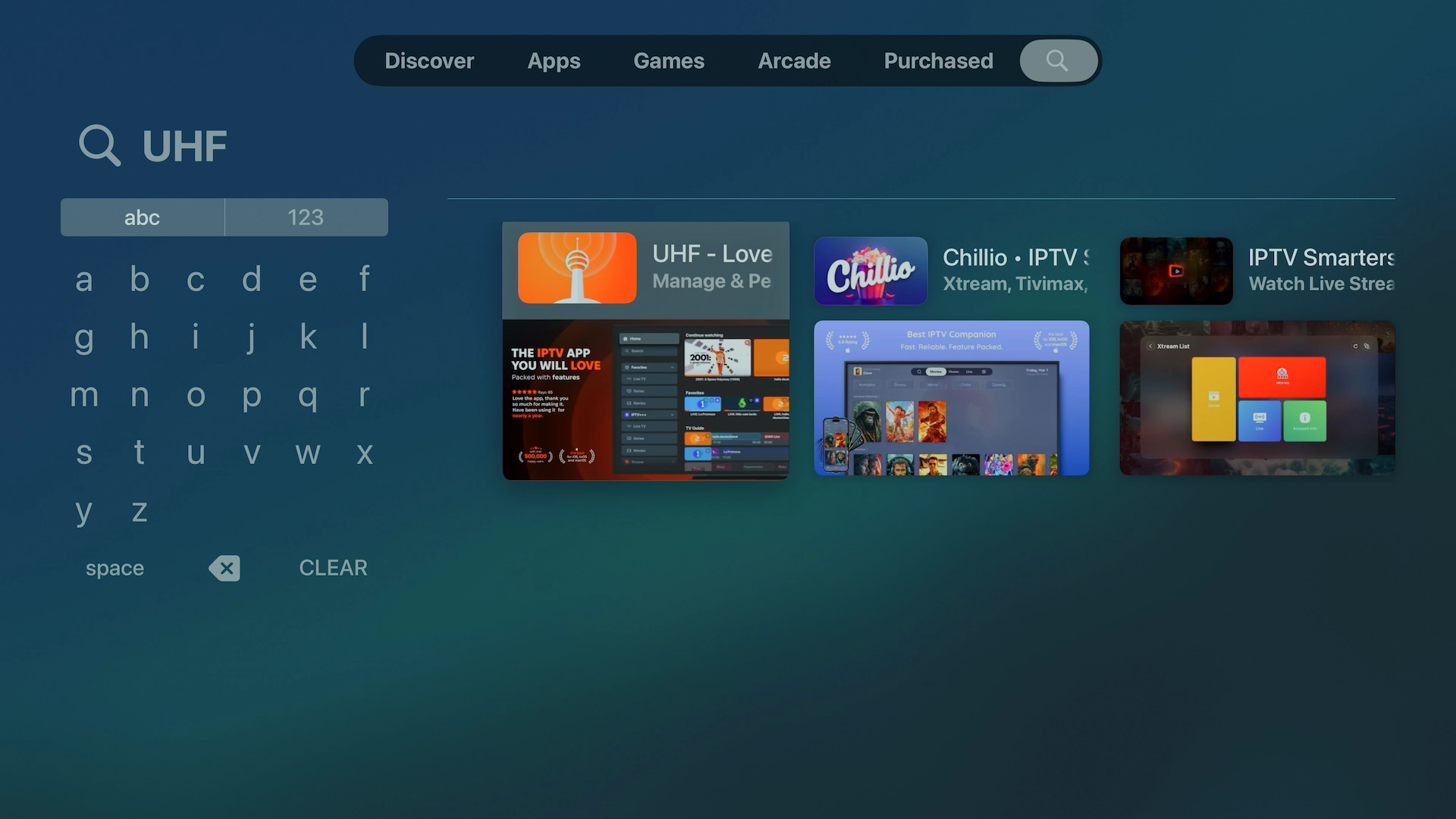
Here's UHF appearing directly in the Apple TV App Store:
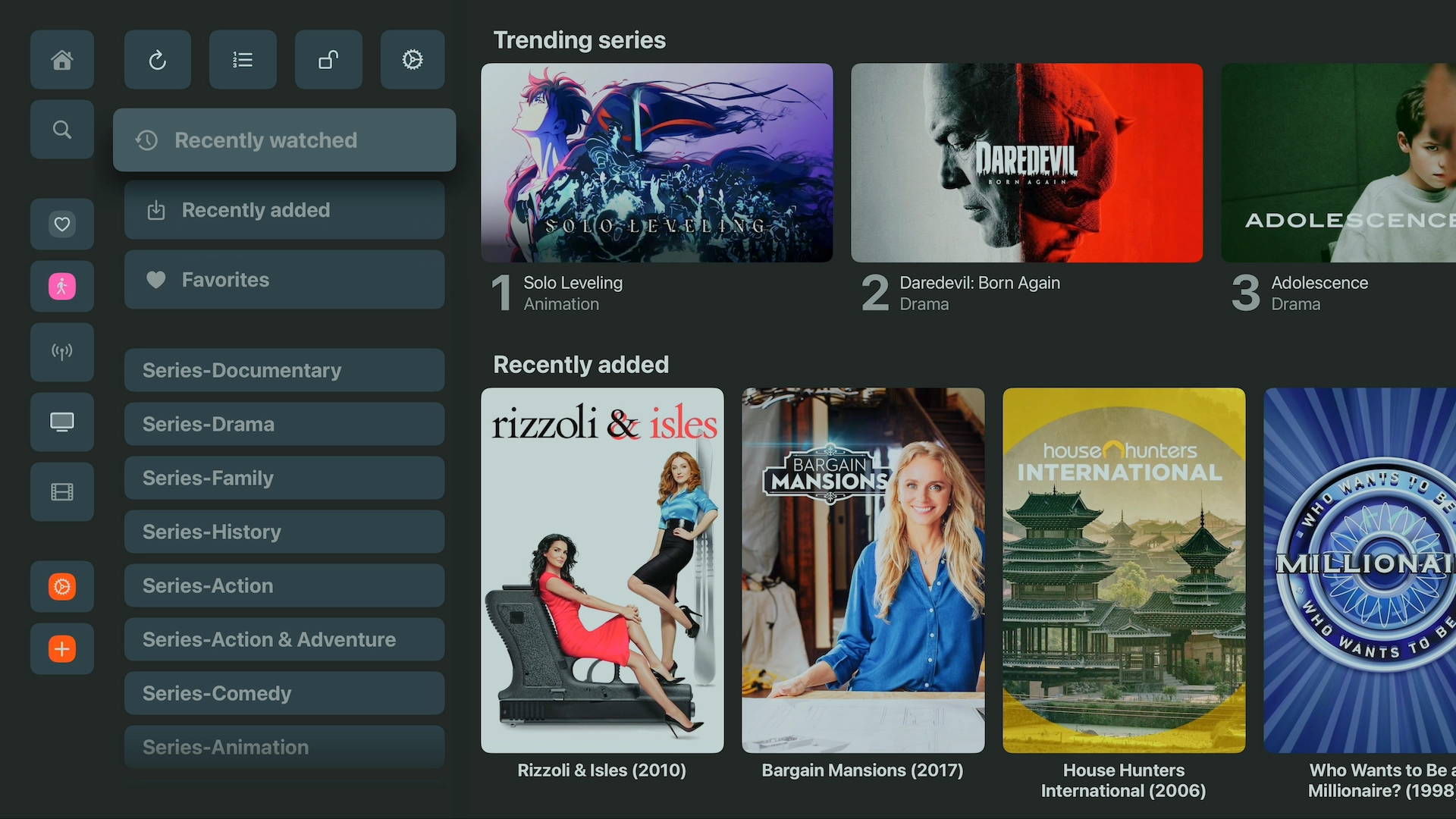
UHF Interface
One reason we like UHF is that large IPTV libraries are presented in a clean interface that feels natural on Apple TV.
Our verdict: If you have an Apple TV, iPhone or iPad, try UHF first.
Read our complete UHF installation guide →
3. Smarters Player Lite – Second Choice for Apple TV, iPhone & iPad
If you prefer the familiar IPTV Smarters layout, Smarters Player Lite is our second recommendation for Apple devices.
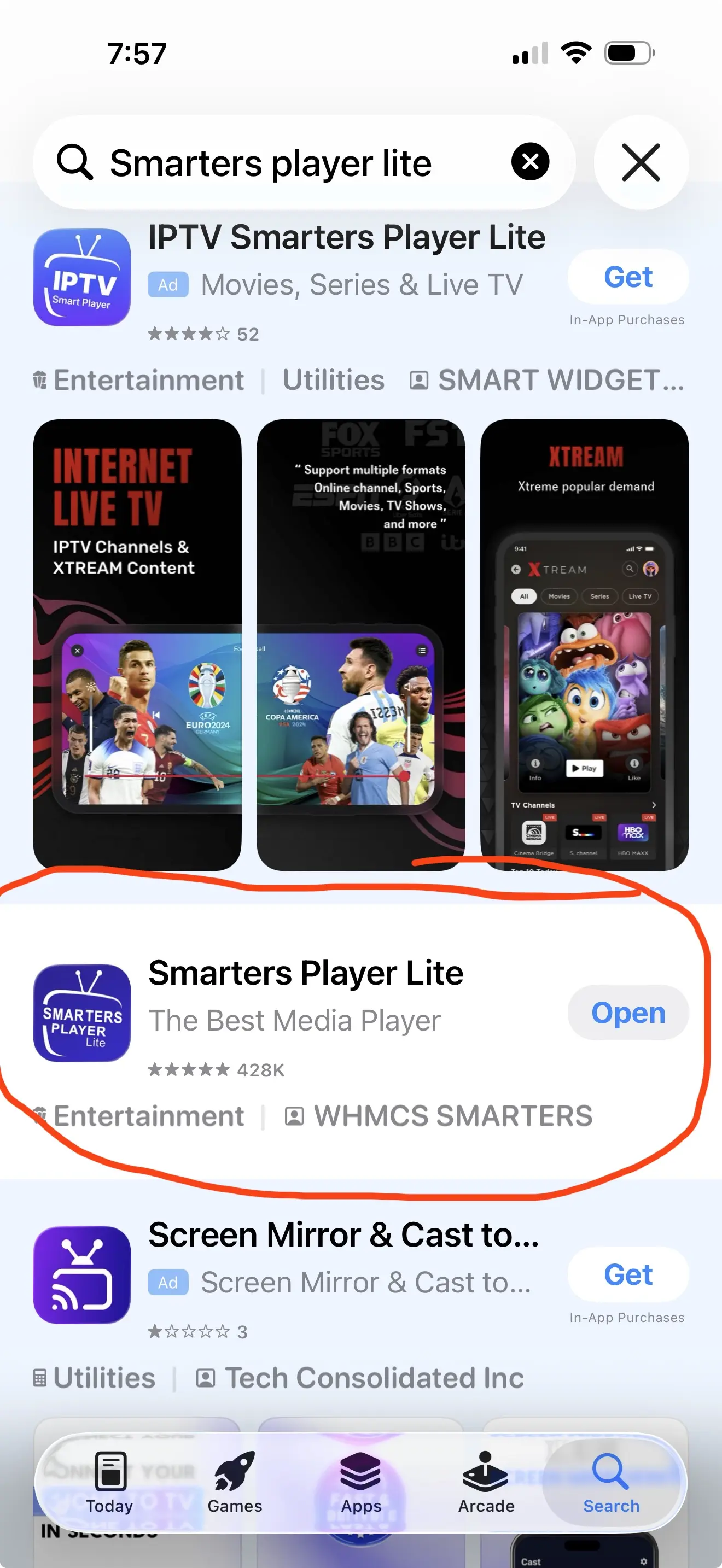
On iPhone, iPad and Apple TV, search the App Store specifically for Smarters Player Lite from WHMCS SMARTERS.
Why Choose Smarters Player Lite?
- Available on Apple TV
- Available on iPhone and iPad
- Simple interface
- Supports playlist formats such as M3U
- Familiar layout for people who have previously used IPTV Smarters
- Easy option for beginners
UHF vs Smarters Player Lite: We recommend UHF first because of its polished Apple-focused interface and broader feature set. However, Smarters Player Lite remains a good alternative for customers who already know and like the Smarters interface.
See our Smarters installation guide →
4. IPTV Smarters Pro – Best IPTV App for Android Phones & Tablets
IPTV Smarters Pro remains one of the easiest IPTV players to recommend when you need an app that works well on touchscreen Android devices as well as televisions.
Unlike TiviMate, which is primarily designed around a TV remote, Smarters works comfortably on phones and tablets.
Best Devices for IPTV Smarters Pro
- Android phones
- Android tablets
- Android TV
- Google TV
- Compatible Fire TV devices
- Windows and other supported platforms
Why We Recommend IPTV Smarters
- Easy Xtream Codes login
- Live TV
- Movies
- Series
- EPG support
- Catch-up support where available
- Multi-screen features in supported versions
- Works with both touchscreen and remote-controlled devices
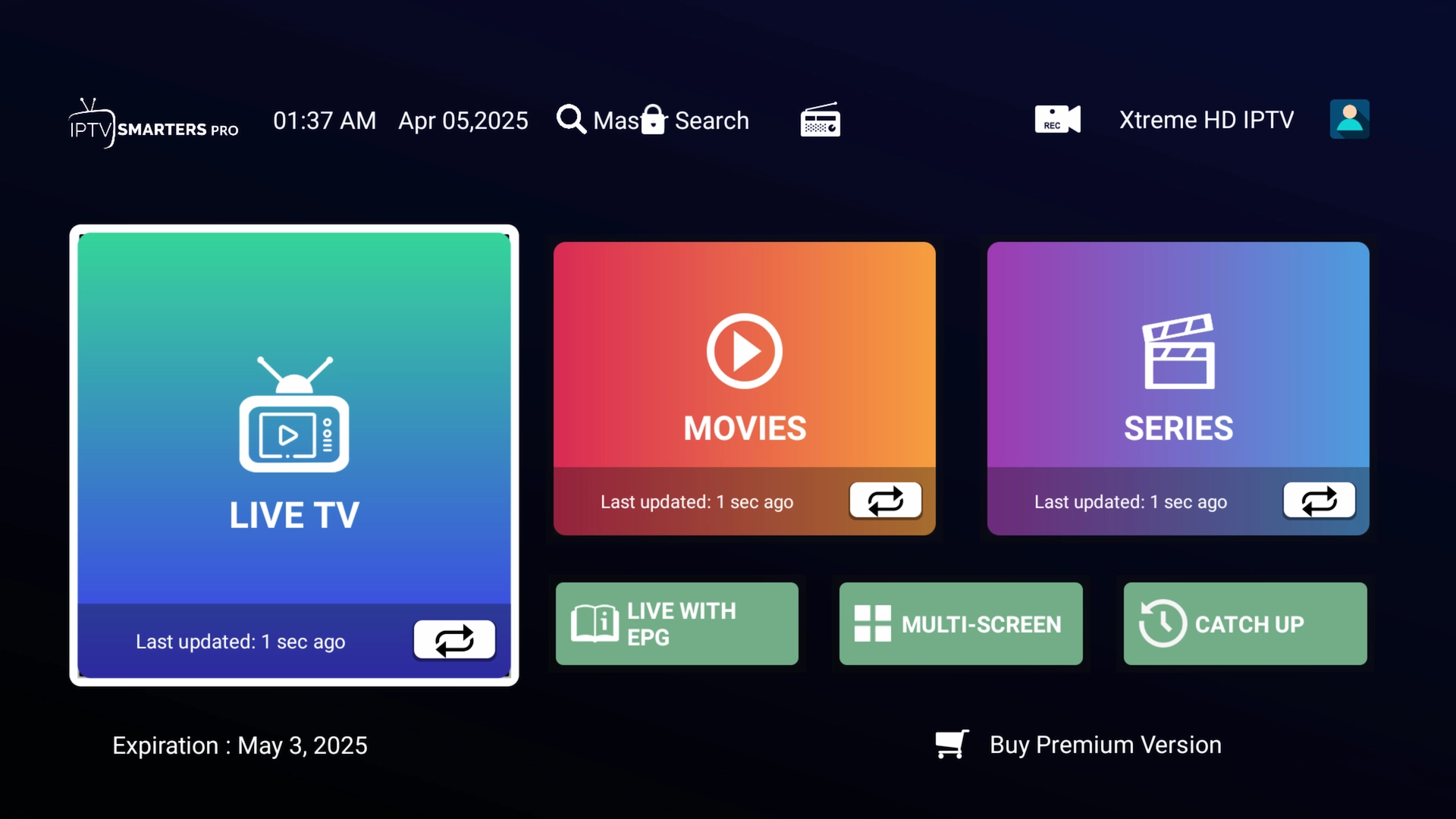
Our verdict: TiviMate is our favorite for a television, but IPTV Smarters Pro is often the better choice for an Android phone or tablet.
Read our IPTV Smarters setup guide →
5. IBO Player / IBO Player Pro – Best Choice for Samsung & LG Smart TVs
Samsung and LG televisions are different from Android TV devices. You cannot normally install Android APK files directly on Samsung Tizen or LG webOS televisions.
For these TVs, we generally recommend IBO Player or one of the current IBO Player variants available in the television's built-in app store.
Why We Like IBO Player on Smart TVs
- Designed for television remotes
- Available on many Samsung TVs
- Available on many LG TVs
- Supports M3U/M3U8 playlists
- Supports XC/Xtream-style playlists in compatible versions
- Favorites
- Multiple playlist support in compatible versions
- No separate streaming box required
On Samsung TVs, search the Samsung Apps store for IBO Player, IBO Player Pro or another supported IBO version available for your particular television.
App names and availability can vary between television models, regions and app stores, so always verify the exact app before activating a playlist.
Our verdict: For customers who want to use IPTV directly on a Samsung or LG television without adding an external streaming box, IBO Player is one of our first choices.
6. Hot Player – Good Alternative for Smart TVs
Hot Player is another useful option for televisions where TiviMate isn't available.
Depending on the platform and region, Hot Player is available across several TV operating systems and streaming devices.
Hot Player Can Be Useful For
- Samsung Smart TVs
- LG Smart TVs
- VIDAA televisions
- Roku
- Android TV
- Fire TV
- Apple devices
- Windows
We normally recommend checking for IBO Player first on Samsung or LG, with Hot Player as another option if you prefer its interface or if IBO isn't available on your particular model.
What About Perfect Player and GSE Smart IPTV?
Older IPTV guides frequently recommended applications such as Perfect Player and GSE Smart IPTV.
Those apps played an important role in earlier IPTV setups, but they are no longer at the top of our recommendation list.
In 2026, we would generally choose:
- TiviMate instead for Android TV
- UHF instead for Apple TV, iPhone and iPad
- Smarters Player Lite as the Apple alternative
- IPTV Smarters Pro for Android phones and tablets
- IBO Player for Samsung and LG televisions
This is why our current recommendations look different from many older IPTV app lists online.
TiviMate vs IPTV Smarters – Which Is Better?
This is one of the most common questions we receive.
Choose TiviMate if:
- You mainly watch on a television
- You use Android TV or Google TV
- You use NVIDIA Shield
- You want a cable-style TV guide
- You have a very large playlist
- You want extensive customization
Choose IPTV Smarters if:
- You use an Android phone or tablet
- You want a simpler interface
- You frequently switch between touchscreen and TV devices
- You already know the Smarters interface
For Android TV, we generally rank TiviMate first and IPTV Smarters second.
UHF vs Smarters Player Lite – Which Is Better for Apple TV?
For Apple TV, iPhone and iPad, we currently rank:
- UHF – Love Your IPTV
- Smarters Player Lite
UHF is our first choice because its interface feels more native to Apple's ecosystem and offers a strong set of features for users with large libraries.
Smarters Player Lite is still a good option, especially if you already use Smarters on another device and prefer the familiar layout.
Can You Use TiviMate on Apple TV?
No. TiviMate is designed for Android TV devices and is not an Apple TV application.
For Apple TV, use:
- UHF – Love Your IPTV
- Smarters Player Lite
Can You Use TiviMate on Samsung or LG Smart TV?
Not directly on most Samsung Tizen or LG webOS televisions because those televisions do not run Android TV.
You have two good options:
- Install a compatible television app such as IBO Player.
- Connect an external Android TV or Google TV streaming box and run TiviMate on that device.
If you want the TiviMate experience on a Samsung or LG television, adding an Android TV or Google TV box is generally the better solution.
See our recommended Android TV boxes →
What IPTV Login Information Do These Apps Need?
Many IPTV players support Xtream Codes login.
You will typically receive:
- Server URL
- Username
- Password
Some applications can also use an M3U playlist URL.
The IPTV player and the IPTV service are separate. Installing TiviMate, UHF, Smarters or IBO Player does not automatically provide channels.
Does Changing IPTV Apps Fix Buffering?
Sometimes changing players can help with a playback or codec compatibility problem, but an IPTV app cannot fix every buffering problem.
Buffering can also be caused by:
- Wi-Fi interference
- Internet routing problems
- An overloaded device
- Low available bandwidth
- ISP routing or throttling
- Server-side issues
If you have fast internet but still experience buffering, read our IPTV buffering troubleshooting guide.
Our Final IPTV App Recommendations for 2026
If you only remember one part of this guide, use this list:
Firestick / Android TV / Google TV / NVIDIA Shield
#1 TiviMate
#2 IPTV Smarters Pro
Apple TV
#1 UHF – Love Your IPTV
#2 Smarters Player Lite
iPhone / iPad
#1 UHF – Love Your IPTV
#2 Smarters Player Lite
Android Phone / Tablet
#1 IPTV Smarters Pro
Samsung / LG Smart TV
#1 IBO Player / IBO Player Pro
#2 Hot Player
Try Your IPTV App Free for 36 Hours
Once you've chosen an IPTV player, the easiest way to know whether you like your setup is to test it yourself.
Free 36-Hour Xtreme HD IPTV Trial
Test your preferred IPTV app on a compatible device before choosing a paid plan.
No credit card or payment information required.
Need help installing an app? Visit our complete IPTV Setup Guides.
Frequently Asked Questions
What is the best IPTV app in 2026?
There isn't one IPTV app that is best on every device. We recommend TiviMate for Android TV and Google TV, UHF for Apple TV and iOS devices, IPTV Smarters Pro for Android phones and tablets, and IBO Player for many Samsung and LG televisions.
What is the best IPTV app for Firestick?
For compatible Firestick models running Fire OS, TiviMate is our first choice, with IPTV Smarters Pro as a good alternative. Newer Firesticks running Vega OS use a different operating system and should not be assumed to support Android APKs.
What is the best IPTV app for Android TV?
TiviMate is our first recommendation for Android TV, Google TV and NVIDIA Shield because of its television-focused interface, EPG and remote-control navigation.
What is the best IPTV app for Apple TV?
Our first choice for Apple TV is UHF – Love Your IPTV. Smarters Player Lite is our second recommendation.
What is the best IPTV app for iPhone?
We recommend UHF – Love Your IPTV first, followed by Smarters Player Lite.
What is the best IPTV app for Samsung TV?
IBO Player or IBO Player Pro is one of our preferred choices for Samsung Smart TVs. Hot Player is another option where available.
What is the best IPTV app for LG TV?
IBO Player is one of our first recommendations for LG webOS televisions, with Hot Player as an alternative. Availability can vary by model and country.
Does TiviMate work on iPhone or Apple TV?
No. TiviMate is designed for Android TV-style devices. Apple users should use an app such as UHF – Love Your IPTV or Smarters Player Lite.
Do IPTV apps include channels?
No. IPTV players such as TiviMate, UHF, Smarters and IBO Player are media-player applications. You must add a compatible playlist or login from your own service provider.
Can I test an IPTV service before buying?
Yes. XtremeDiscount offers a free 36-hour Xtreme HD IPTV trial so you can test a compatible app and device before purchasing a subscription.
Last updated: September 2026. App availability, features and compatibility can change over time and may vary by country, television model and operating-system version.