
Meet the NEW
IPTV Smarters
Xtreme Edition
We took the familiar IPTV Smarters experience millions of users already recognize and created our own version specifically for XtremeDiscount.net customers.
No more confusing premium activation. No more visiting another website to unlock features.
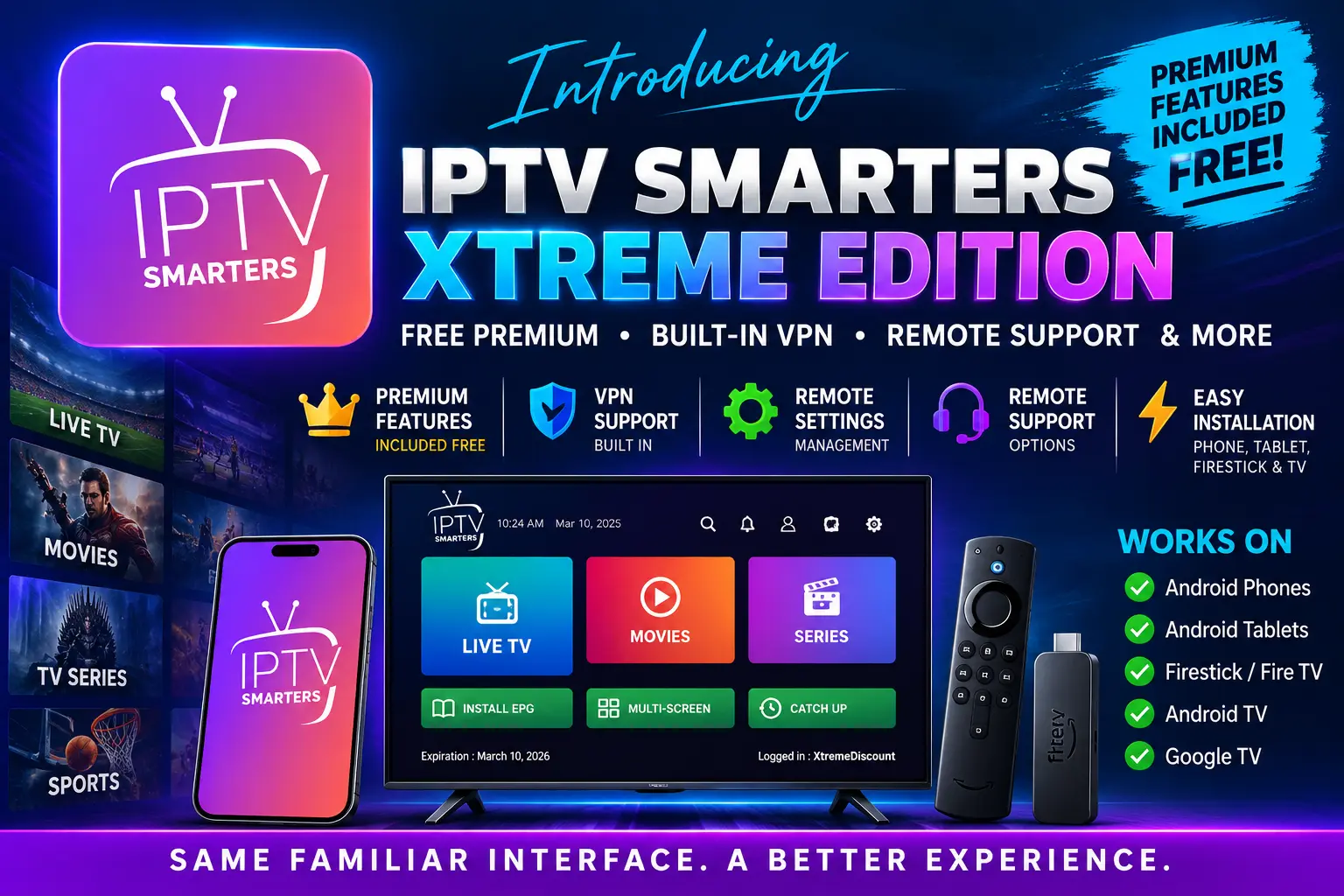
IPTV Smarters Xtreme Edition includes premium functionality at no additional charge, VPN support, remote settings management, remote support options and a setup experience designed around Xtreme HD IPTV.
Try Xtreme HD IPTV with IPTV Smarters Xtreme Edition and experience the service for yourself before purchasing a subscription.
🔥 More Than Just a Smarters Rebrand
IPTV Smarters has been one of the most familiar IPTV interfaces for years. Many customers already know exactly where Live TV, Movies, Series, Favorites and Settings are located.
We wanted to keep that familiar experience while eliminating one of the most frustrating parts of older Smarters installations: premium activation.
In the past, some versions required customers to visit a separate website just to activate premium functionality, even when the activation itself was free.
With IPTV Smarters Xtreme Edition, that process is gone.
Our Android version is based on the familiar IPTV Smarters 4.0.5 platform and comes ready to use with premium functionality already enabled.
⚡ Regular Smarters vs. IPTV Smarters Xtreme Edition
Here's what makes our version different.
📱 Android Phone & Tablet — Two Easy Steps
Installing IPTV Smarters Xtreme Edition on an Android phone or tablet couldn't be much easier.
Find IPTV Smarters Xtreme Edition and tap the blue Download button.
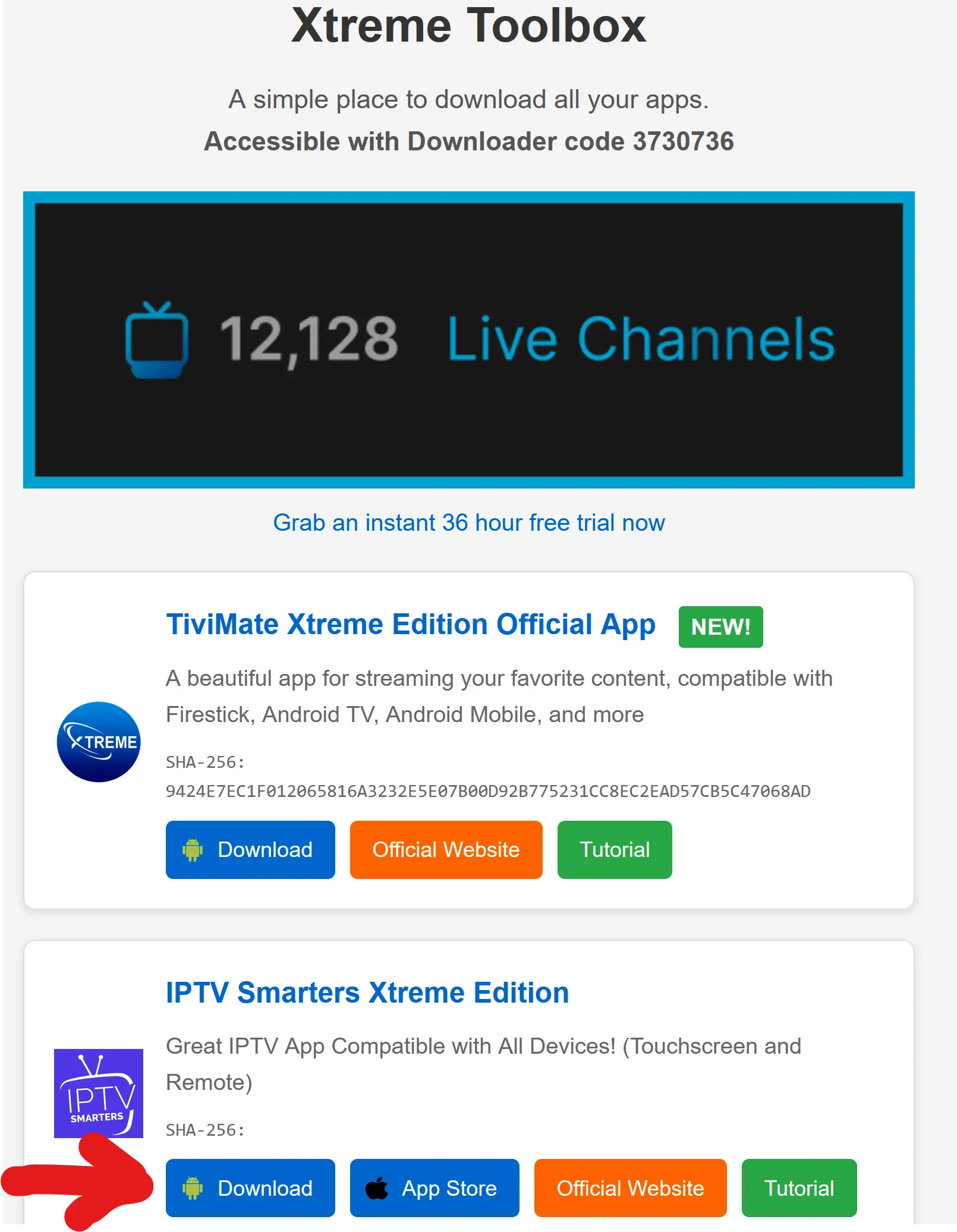
That's it — two easy steps.
If Android asks for permission to install apps from your browser, select Settings, enable Allow from this source, then return to the downloaded APK.
📺 Firestick & Android TV Installation
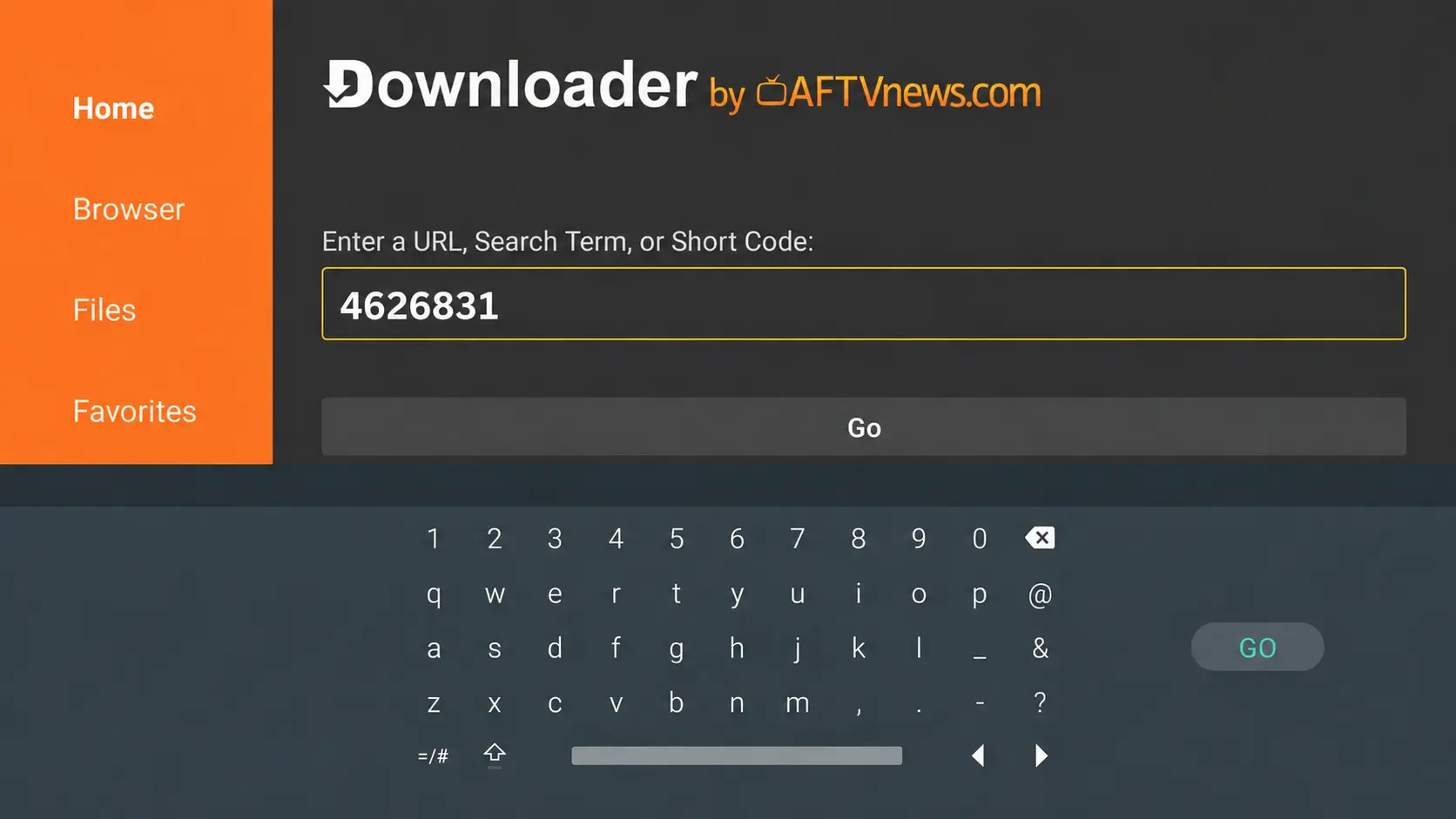
Firestick, Fire TV and Android TV users can install IPTV Smarters Xtreme Edition using Downloader.
4626831
💰 Premium Features. $0 App Fee.
One of the biggest reasons we created IPTV Smarters Xtreme Edition was to make the setup experience simpler.
You do NOT need to purchase Smarters Premium separately.
You do NOT need to visit another website to activate premium features.
Premium functionality is already available in IPTV Smarters Xtreme Edition — FREE for our customers.
🔓 No More Confusing Premium Activation
One of the biggest frustrations with some older Smarters installations was the premium activation process.
Customers could install the app successfully, only to discover that certain functionality had to be unlocked through a separate Smarters website.
Even when that activation was free, it created unnecessary confusion. Customers understandably wondered why an app they had just installed was sending them somewhere else to activate features.
Install the app, enter your IPTV credentials and start using it.
🛡️ VPN Support Inside IPTV Smarters Xtreme Edition
Our branded version includes VPN support that gives customers and our support team another troubleshooting option when network routing or ISP-related problems interfere with streaming.
A VPN can sometimes help when an Internet provider is filtering traffic, blocking a route or creating a poor connection path between your device and the IPTV server.
Why build this into our app?
Because IPTV troubleshooting should be as simple as possible. Instead of sending customers through complicated manual setup steps, our app gives us additional ways to help diagnose and resolve connection problems.
No VPN can fix every source of buffering, but having VPN support available directly within the IPTV experience gives customers another useful option when routing is the problem.
⚙️ Remote Settings Management
Regular IPTV troubleshooting often requires walking customers through menu after menu and asking them to change settings manually.
IPTV Smarters Xtreme Edition gives us more control over supported app configuration from our side.
This is especially helpful on television devices where entering URLs or navigating complicated settings with a remote can be frustrating.
🛠️ Better Remote Support
Our goal with IPTV Smarters Xtreme Edition isn't just to provide another IPTV player.
We want an app that also makes support easier.
“Find this option…”
“Change this value…”
“Go back…”
“Restart the app…”
“Try it again…”
IPTV Smarters Xtreme Edition gives our support team additional remote support and management options so that, when supported, we can do more of the troubleshooting work ourselves.
You tell us what's happening. Our goal is to handle as much of the technical work as possible.
📺 The Familiar Smarters Interface Customers Already Know
One reason IPTV Smarters has remained so popular is familiarity.
Live TV, Movies and TV Series are separated into easy-to-understand sections. The interface works well with both touchscreens and television remotes.
That makes IPTV Smarters Xtreme Edition a particularly good option for customers who want the same general layout across an Android phone, tablet, Firestick and Android TV device.
📱 One Android App for Phones, Tablets & TVs
IPTV Smarters Xtreme Edition is designed for Android-based devices.
✅ Android Phones
✅ Android Tablets
✅ Android TV
✅ Google TV
✅ Amazon Firestick
✅ Fire TV
✅ Compatible Android TV Boxes
Using iPhone, iPad or Apple TV? Apple users can continue using Smarters Player Lite from the Apple App Store. IPTV Smarters Xtreme Edition is our custom Android version.
📲 Already Have Another IPTV App? Keep It.
You don't have to remove TiviMate, another Smarters build or another IPTV player just to try IPTV Smarters Xtreme Edition.
Our app installs as its own application, so you can test it alongside your existing setup and decide which interface you prefer.
Already use TiviMate? Keep it. ✅
Already have another Smarters version? No problem. ✅
Want multiple IPTV apps installed? Go right ahead. ✅
Want to compare them yourself? That's exactly what we recommend. ✅
❤️ Why We Built Our Own Smarters Version
We wanted the familiar Smarters experience without the confusing parts.
🔓 Premium features shouldn't require a confusing separate activation process.
💰 Our customers shouldn't need to pay another fee just to unlock their IPTV player's features.
🛡️ Network problems should have more troubleshooting options available.
⚙️ Customers shouldn't have to manually change every setting themselves.
🛠️ Support should be able to do more than simply tell customers which buttons to press.
📱 Installing the app on an Android phone or tablet should be simple.
🚀 Familiar Smarters. Better XtremeDiscount.net Experience.
✅ Familiar IPTV Smarters interface
✅ Based on the stable Smarters 4.0.5 platform
✅ FREE for XtremeDiscount.net customers
✅ Premium functionality included
✅ No separate premium activation website
✅ No separate premium purchase
✅ VPN support
✅ Remote settings management
✅ Remote support options
✅ Live TV, Movies and TV Series
✅ Designed for touchscreen and TV remote use
✅ Android phones and tablets
✅ Firestick and Fire TV
✅ Android TV and Google TV
✅ Installs alongside your existing IPTV apps
🔥 Try IPTV Smarters Xtreme Edition
If you like the familiar IPTV Smarters interface, our new Xtreme Edition gives you a much easier way to use it with Xtreme HD IPTV.
Premium features included. VPN support. Remote support options. No separate activation.
View the Complete Installation Guide
Don't Have Xtreme HD IPTV Yet?
Try Xtreme HD IPTV sold by XtremeDiscount completely FREE for 36 hours. Install IPTV Smarters Xtreme Edition, start your free trial and experience the service for yourself before purchasing a subscription.
🎁 START MY FREE 36-HOUR IPTV TRIAL
Instant free trial available through XtremeDiscount.net.
Need help installing IPTV Smarters Xtreme Edition or starting your FREE trial? Start a Live Chat at
XtremeDiscount.net
or contact us on Telegram at @XtremeHDChat.
Familiar Smarters. Easier Setup. Better Support.