

IPTV Smarters Xtreme Edition Installation & Setup Guide
Install IPTV Smarters Xtreme Edition and start watching Xtreme HD IPTV on Android phones and tablets, Android TV, Firestick, iPhone, iPad and Apple TV.
Try Xtreme HD IPTV FREE for 36 Hours
Don't have an IPTV subscription to use with the app yet? Get an instant FREE 36-hour trial of Xtreme HD IPTV sold by XtremeDiscount and experience the service before purchasing.
🔥 START MY FREE 36-HOUR IPTV TRIAL
Instant trial • Get your IPTV login and start watching
📲 Choose Your Device
Installation is slightly different depending on the device you're using. Choose your device below to jump directly to the correct instructions.
📱 Android Phone & Tablet
The easiest method — just two steps using Xtreme Toolbox. 📺 Firestick & Android TV
Install using Downloader code 4626831. 🍎 iPhone, iPad & Apple TV
Install Smarters Player Lite from the App Store. 🔑 Already Installed?
Jump directly to the Xtreme HD IPTV login instructions.
🚀 Why IPTV Smarters Xtreme Edition?
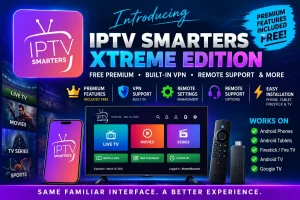
Our branded Android version makes Smarters easier to use with Xtreme HD IPTV while including additional features and support options.
⭐ Premium Features Included
Smarters premium features are included with our Android version at no additional charge. There is no separate website or premium activation process required.
🛡️ VPN Support
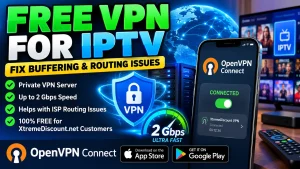
Our Android version includes VPN support, giving customers another option when network routing or ISP-related connection problems interfere with IPTV.
🛠️ Remote Settings & Support
Additional remote settings management and support options give our team more ways to help when configuration or troubleshooting assistance is needed.
📺 Familiar Smarters Interface
Browse Live TV, Movies, TV Series and other IPTV content through the familiar Smarters-style interface.
Install IPTV Smarters Xtreme Edition in Two Easy Steps
Installing IPTV Smarters Xtreme Edition on an Android phone or tablet is incredibly easy.
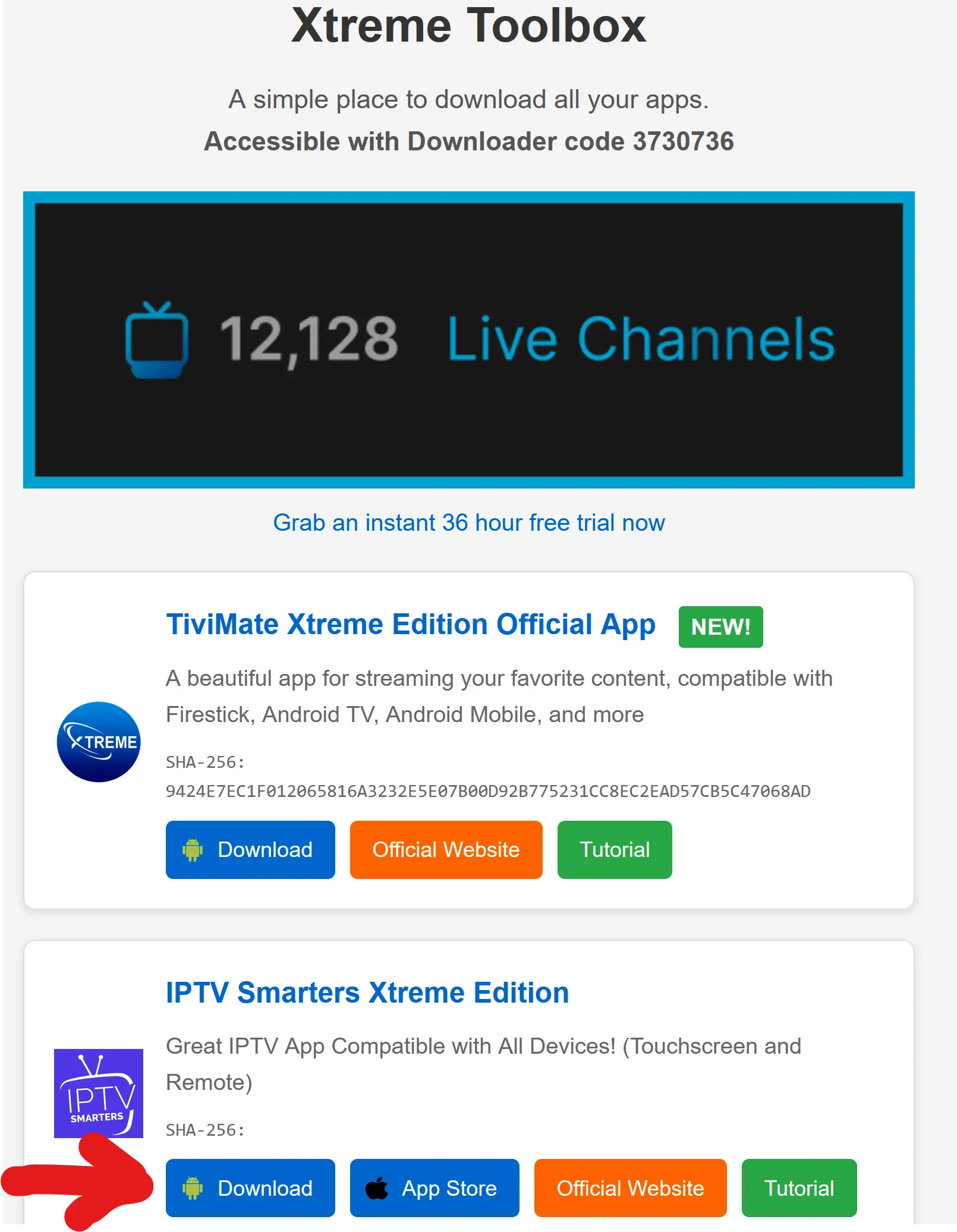
Open the Xtreme Toolbox
Open the web browser on your Android phone or tablet and visit:
Download IPTV Smarters Xtreme Edition
Find IPTV Smarters Xtreme Edition inside the Xtreme Toolbox and tap the Download button next to it.
When the APK finishes downloading, open the file and select Install.
IPTV Smarters Xtreme Edition is now installed on your Android phone or tablet.
Install IPTV Smarters Xtreme Edition
On Firestick and Android TV devices, you'll use the Downloader app to install IPTV Smarters Xtreme Edition.
Install Downloader
Firestick: Search for Downloader in the Amazon Appstore and install it.
Android TV: Search for Downloader in the Google Play Store and install it.
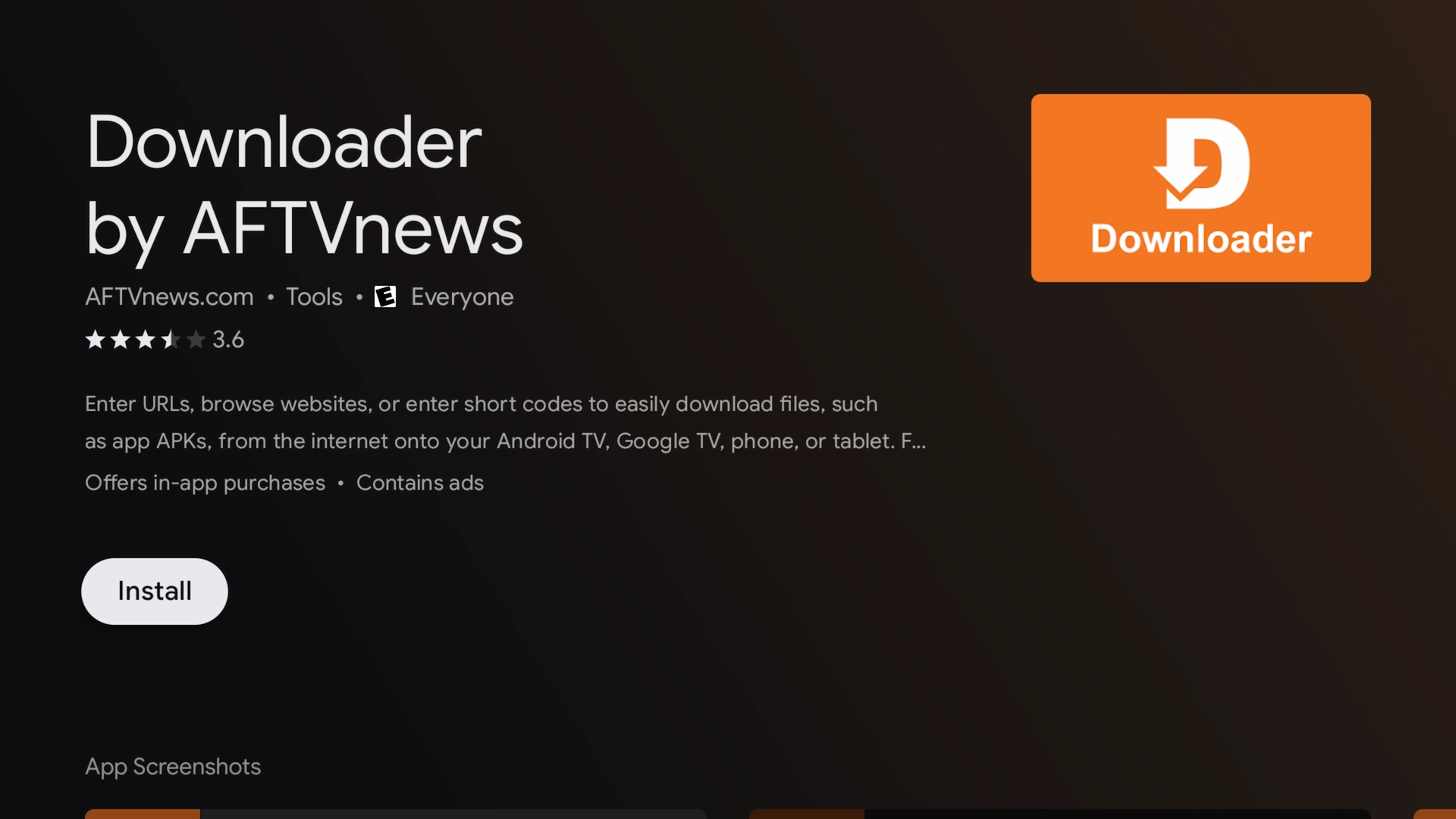
Enable Developer Options & Unknown Apps
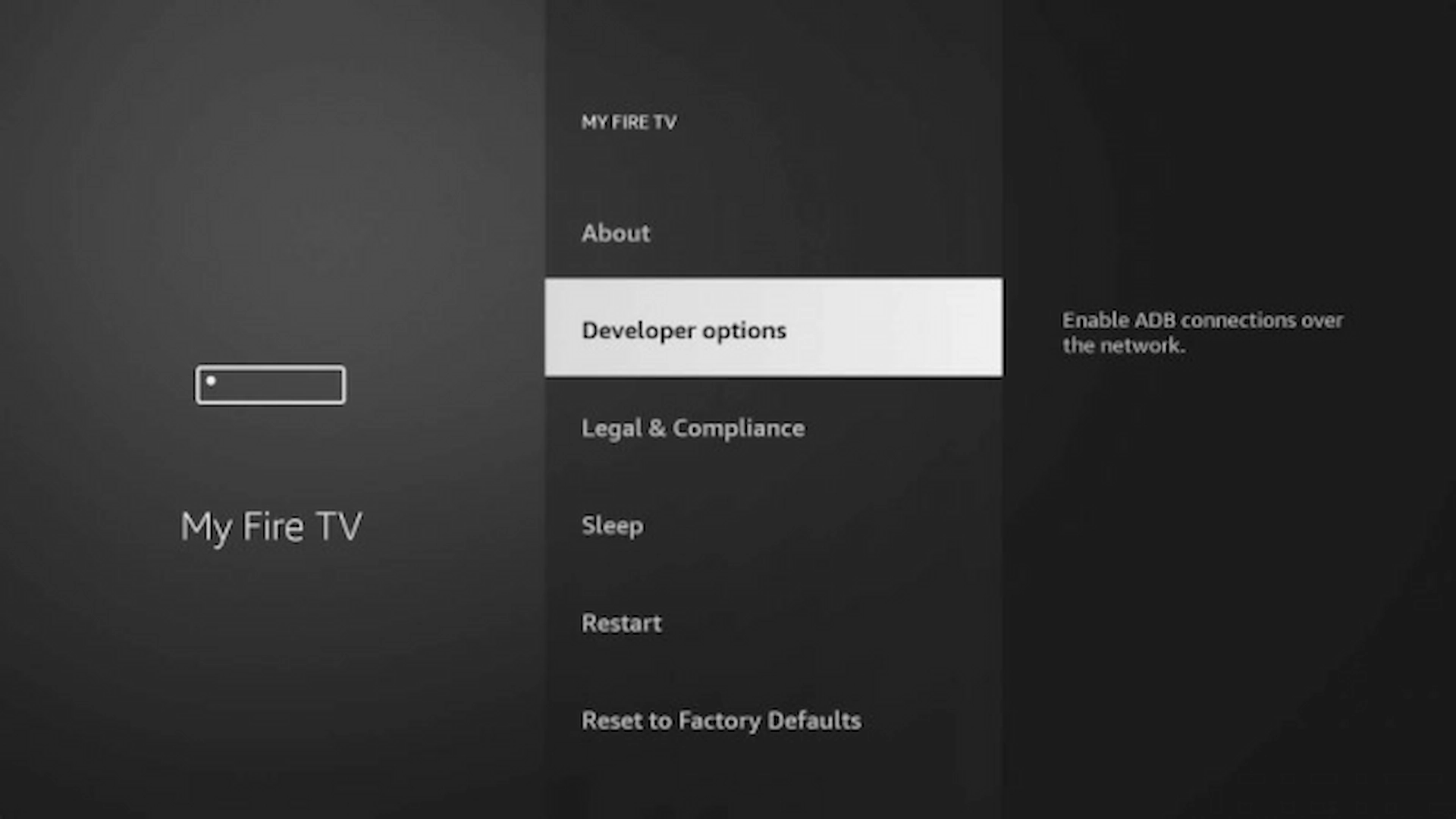
On Firestick, go to Settings → My Fire TV → About.
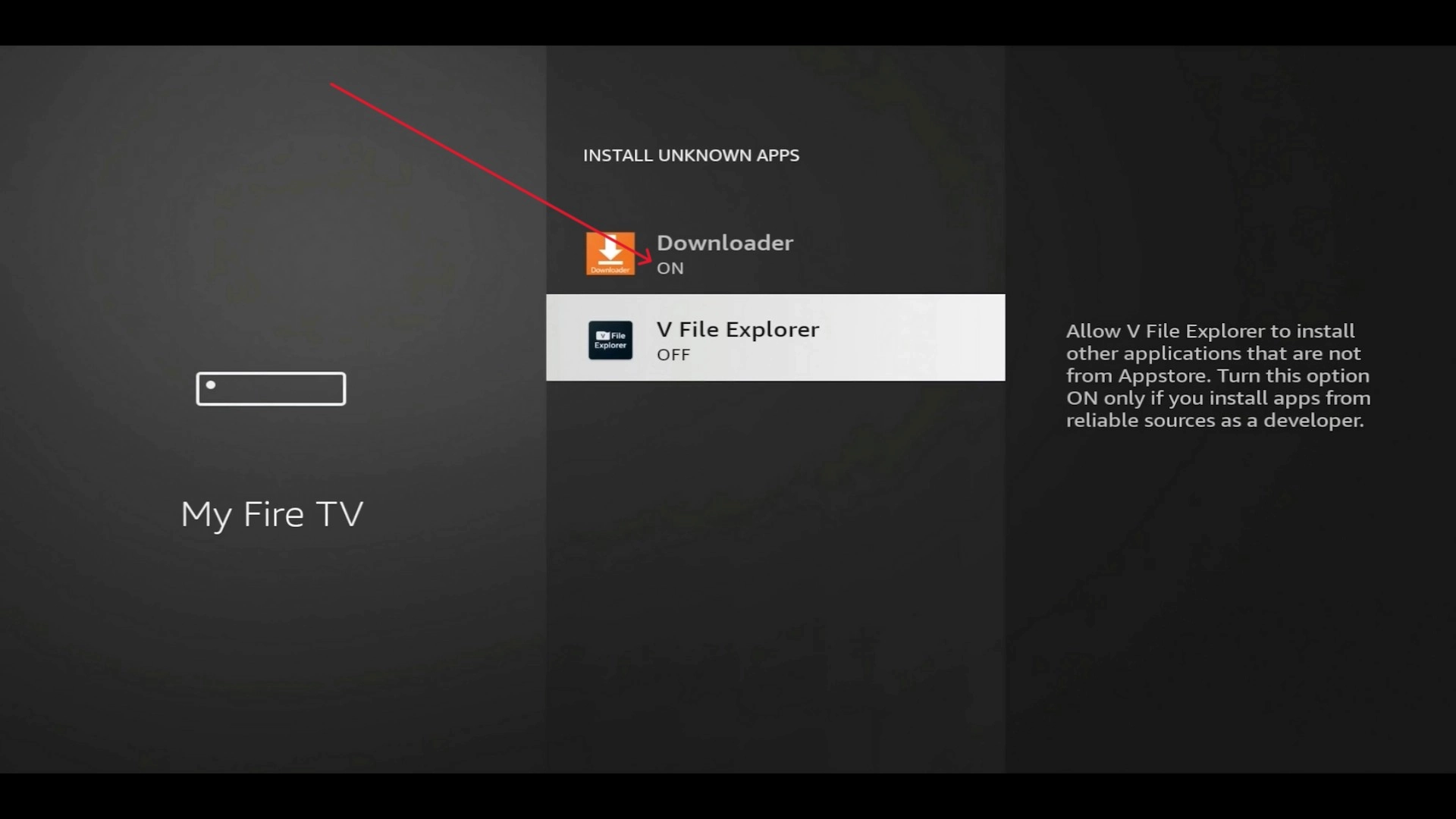
Highlight your Fire TV device name and press the Select button 7 times. Then return to Developer Options → Install Unknown Apps and turn Downloader ON.
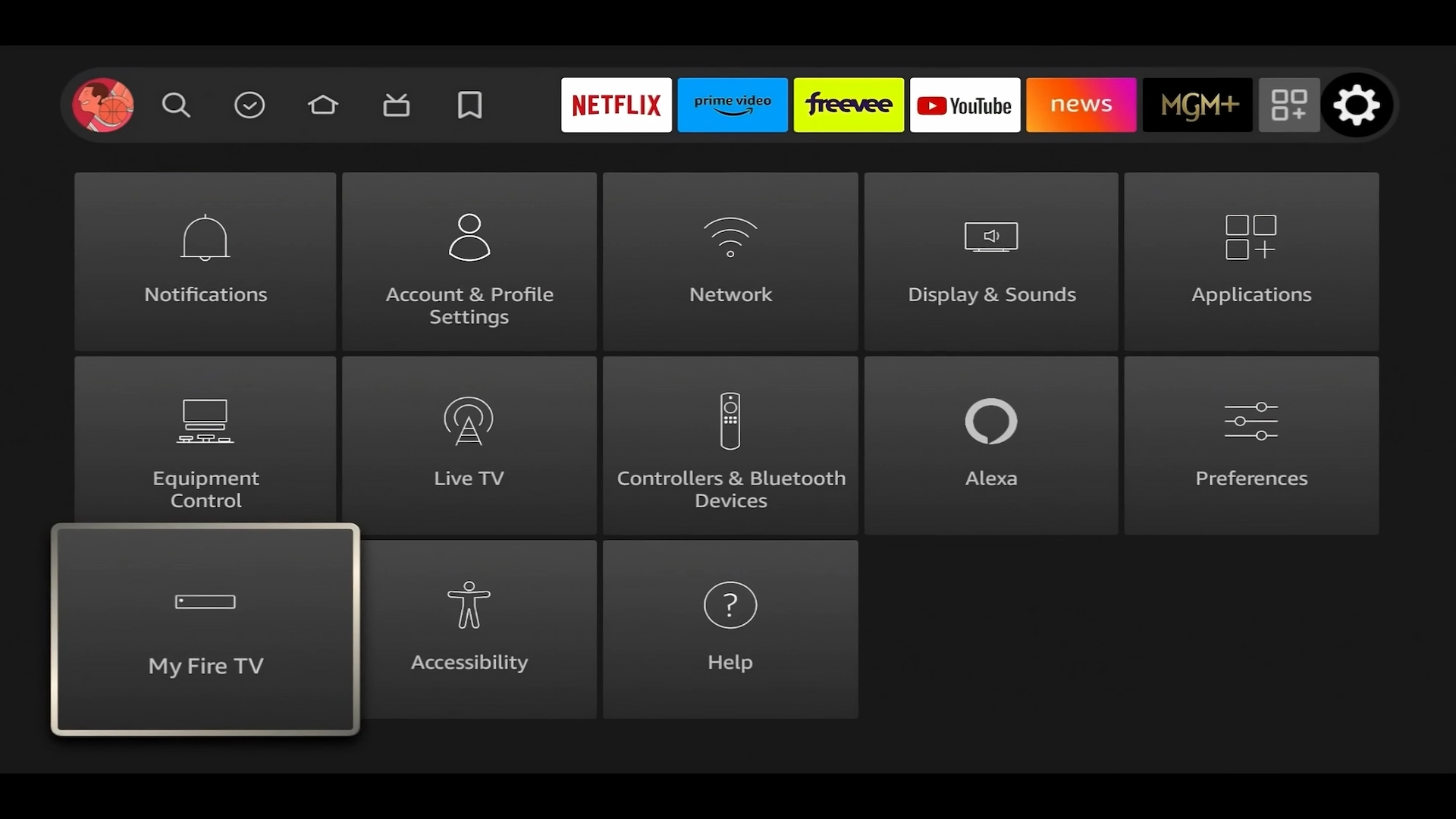
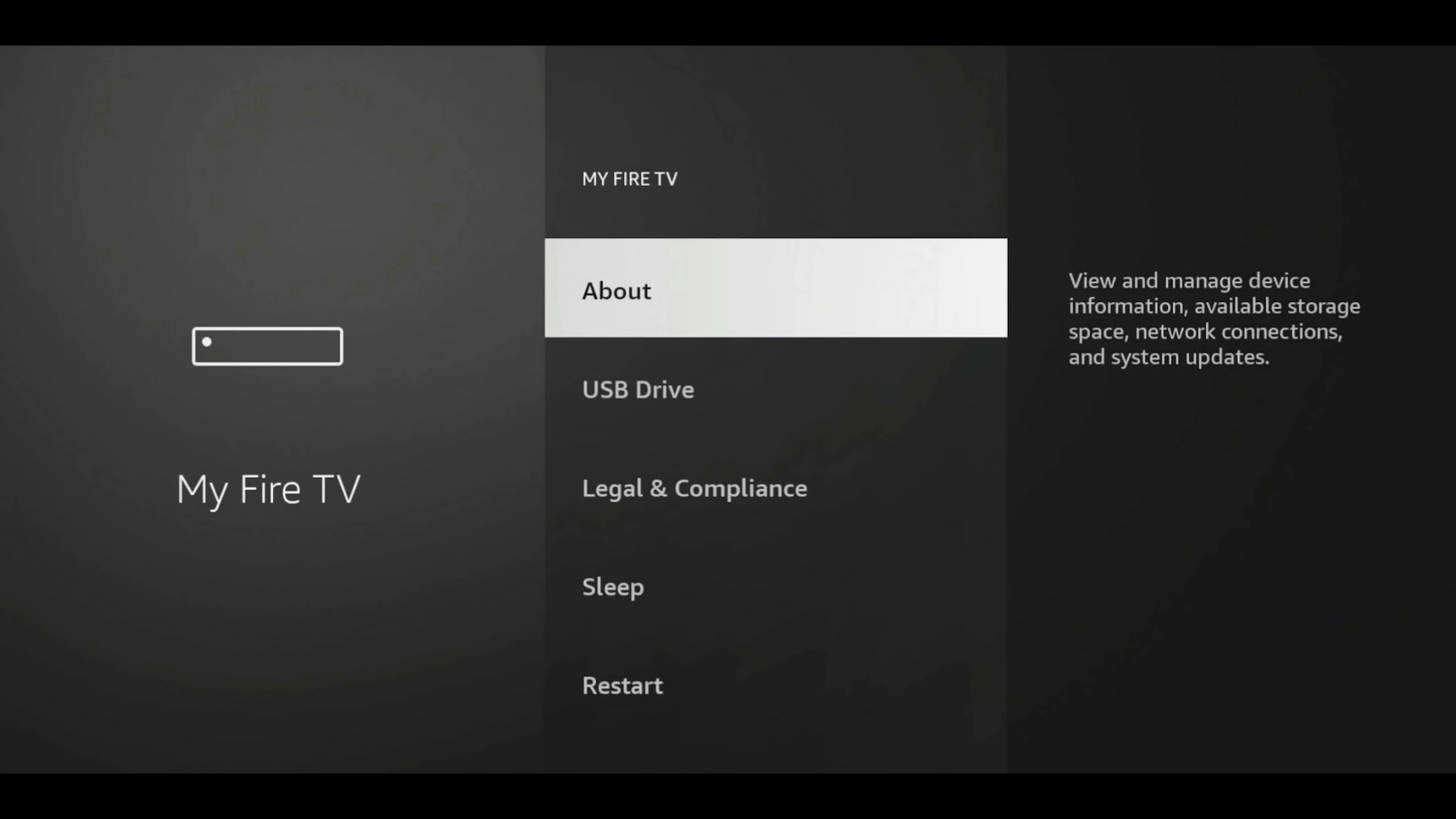
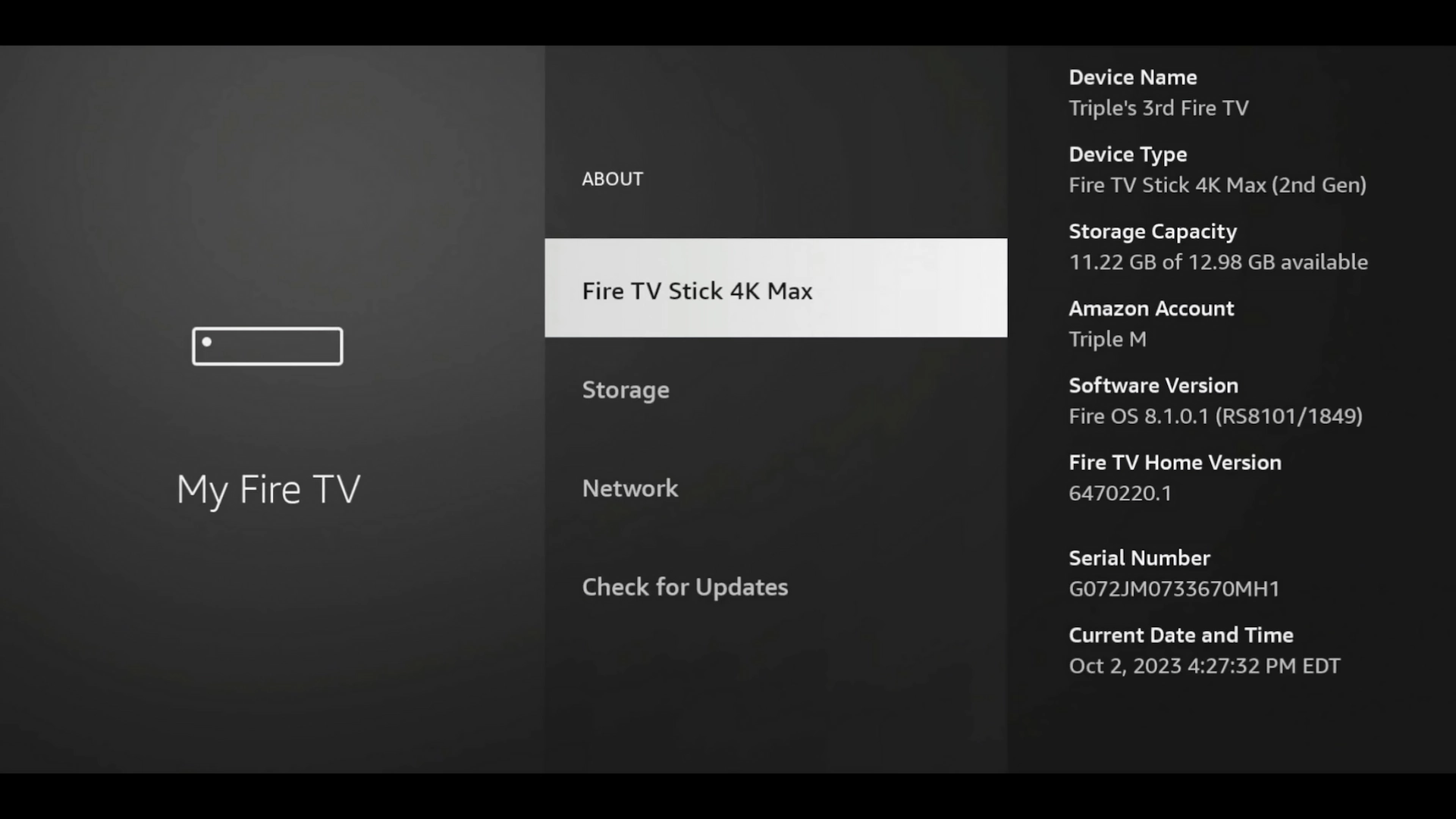
Download IPTV Smarters Xtreme Edition
Open Downloader and enter the following code:
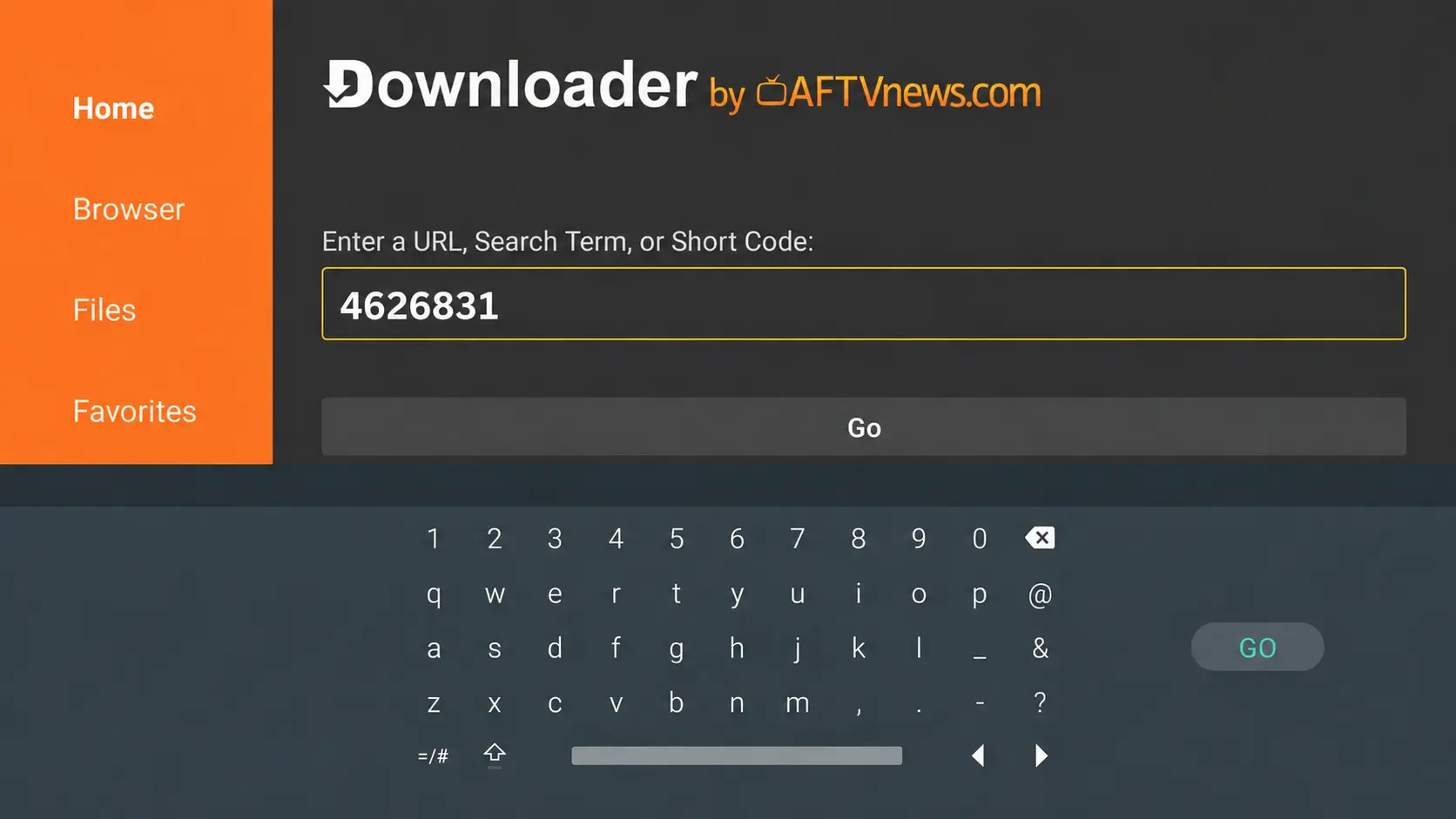
Allow the APK to download, then select Install.
/1%20-%20IPTV%20Smarters%20Pro%20Toolbox%20Downloader%20Downloading%20Firestick.webp)
/3%20-%20IPTV%20Smarters%20Pro%20About%20to%20Choose%20Install.webp)
/4%20-%20IPTV%20Smarters%20Pro%20Installing.webp)
When installation finishes, select Open.
/5%20-%20IPTV%20Smarters%20Pro%20About%20to%20Choose%20Open.webp)
Start an Instant FREE 36-Hour Xtreme HD IPTV Trial
Start your free trial at XtremeDiscount.net and use the IPTV credentials provided with your trial to log into Smarters.
iPhone, iPad & Apple TV
On iPhone, iPad and Apple TV, open the App Store and search for:
Download and install the app, then continue to the login instructions below.
/App%20Store%20Smarters.webp)
How to Log In With Your Xtreme HD IPTV Account
Once the app is installed, you'll need the IPTV credentials supplied with your XtremeDiscount.net subscription or free trial.
/7%20-%20IPTV%20Smarters%20Pro%20-%20About%20to%20Choose%20Xtreme%20Codes.webp)
/8%20-%20IPTV%20Smarters%20Pro%20Xtream%20Codes%20Info%20Blank.webp)
/9%20-%20IPTV%20Smarters%20Pro%20Xtream%20Codes%20Example%20Info%20Filled%20In.webp)
/10%20-%20IPTV%20Smarters%20Pro%20Playlist%20Successful%20Added%20(Download%20Showing%20for%20All).webp)
/11%20-%20IPTV%20Smarters%20Pro%20Finishing%20Update.webp)
Allow the playlist and EPG to finish loading, then start exploring your IPTV service.
👀 Preview the Smarters Interface
Once your playlist loads, you can browse Live TV, Movies, TV Series, sports and other categories included with your IPTV service.
/12%20-%20Smarters%20Home%20Screen.webp)
/13%20-%20IPTV%20Smarters%20Pro%20All%20Channels.webp)
/14%20-%20IPTV%20Smarters%20Pro%20Movies%20New%20Releases.webp)
/15%20-%20IPTV%20Smarters%20Pro%20TV%20Series%20All.webp)
/17%20-%20IPTV%20Smarters%20Pro%20NBA.webp)
/18%20-%20IPTV%20Smarters%20Pro%20Sunday%20Ticket%20Category.webp)
❓ Frequently Asked Questions
Only for Firestick and Android TV. On an Android phone or tablet, visit Toolbox.XtremeDiscount.net and tap Download next to IPTV Smarters Xtreme Edition.
The Downloader code for IPTV Smarters Xtreme Edition is 4626831.
Yes. Our branded Android version includes Smarters premium features at no additional charge, without requiring a separate premium activation website.
Yes. Install Downloader, enable installation from unknown sources for Downloader, enter code 4626831, and install the app.
Yes. Open the Apple App Store and search for Smarters Player Lite.
Choose Xtream Codes login and enter the Server URL, Username and Password supplied with your Xtreme HD IPTV subscription or free trial.
Yes. New users can start with an instant FREE 36-hour trial of Xtreme HD IPTV at XtremeDiscount.net and use the trial credentials to log into Smarters.
Visit XtremeDiscount.net and open the live chat. Our support team can help with installation, login information and setup.
Ready to Try Xtreme HD IPTV?
Get an Instant FREE 36-Hour Trial
Install IPTV Smarters, start your free Xtreme HD IPTV trial, and experience the service for yourself before purchasing a subscription.
🔥 START MY FREE 36-HOUR IPTV TRIAL
Toolbox.XtremeDiscount.net
Downloader Code
💬 Need Help?
Need help installing Smarters, starting your free trial, or entering your IPTV login information? Our support team is available to help.
24/7 Live Chat • Telegram: @XtremeHDChat