

Overview
It’s one of the best alternative applications for Android devices like Android TV, Android phones/tablets, Fire TV, and ….
It’s recommended for users who IPTV providers are IP-blocked by ISPs and who want to bypass blocking and connect to an IPTV server anonymously.
The top features of this application:
1- Free VPN Service to get a seamless experience to play video
2- Fast Play, Fast Zapping
3- Parental Control to lock channels and categories
4- Multi-screen
Note: IPTV Smart Purple is an advanced version of IPTV Smarters Pro
Download and install IPTV Purple
IPTV Smart Purple is available for Android operating systems in play store:
https://play.google.com/store/apps/details?id=com.player.myiptv.myiptv
APK direct download link: https://www.install-iptv.com/iptv-getting-started/install-iptv-on-fire-tv/
Bring TV channels
Install IPTV Smart Purple and bring TV channels
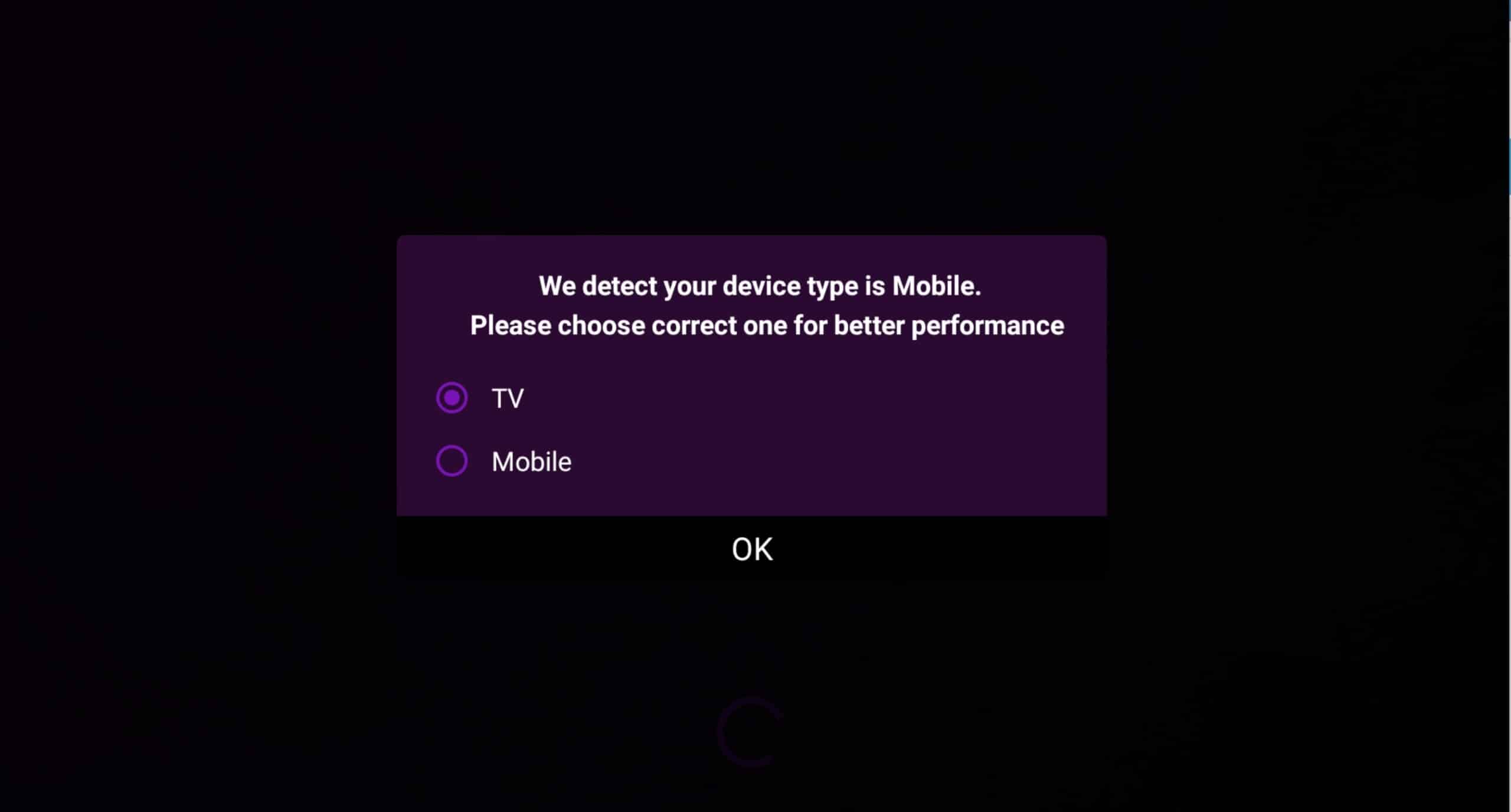
- Choose between TV or mobile mode. After installing IPTV Smart Purple, first you need to choose TV or mobile mode to display the best interface.

- Choose Yes or No at booting device. If you want to start the app automatically when you turn on the device, choose YES; otherwise choose NO.
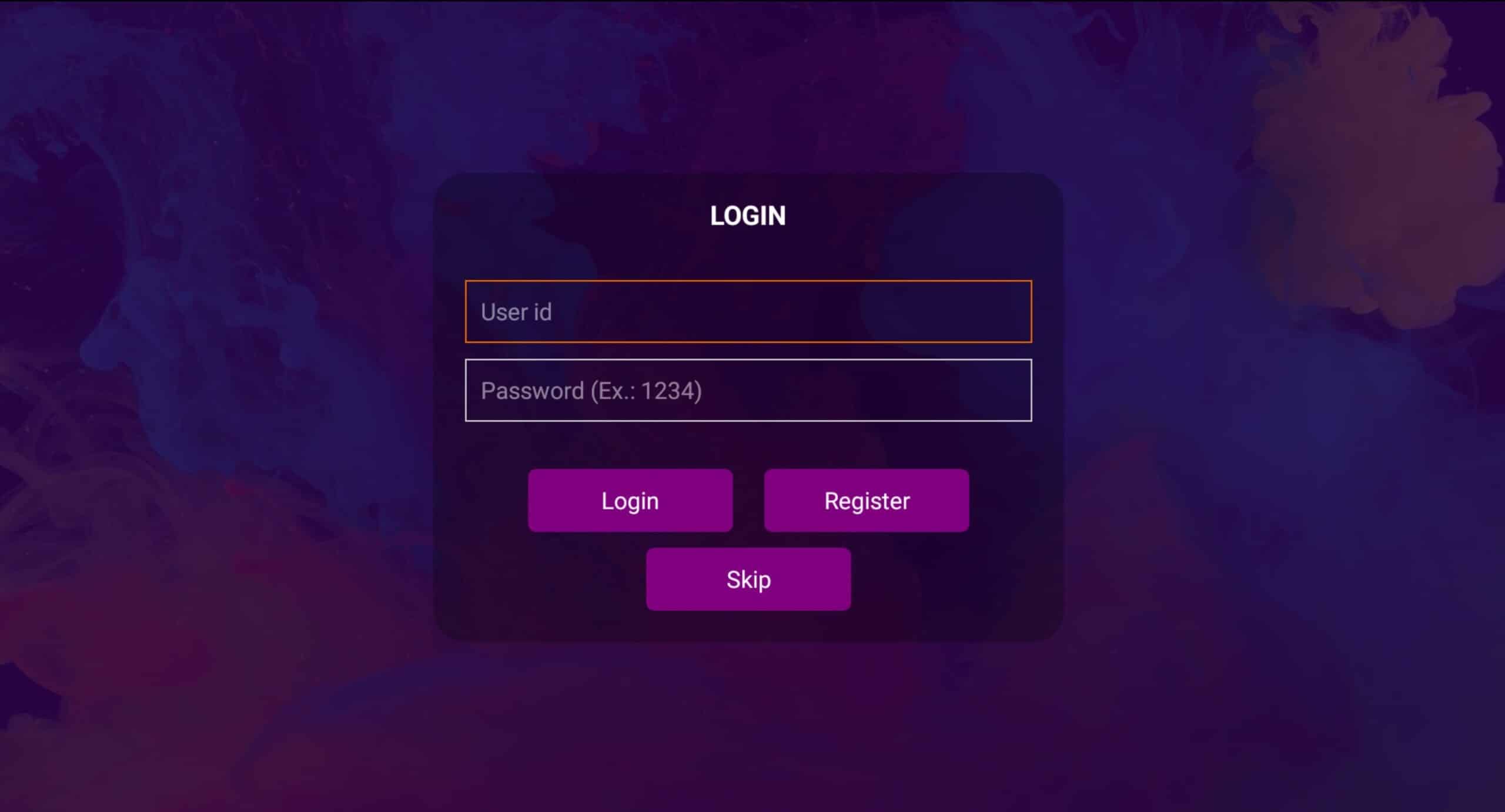
- You can skip the sign-up or login step. You can install your playlist on the cloud by creating an account and continuing in the Smart IPTV purple portal
Any way you can SKIP this step by choosing Skip.
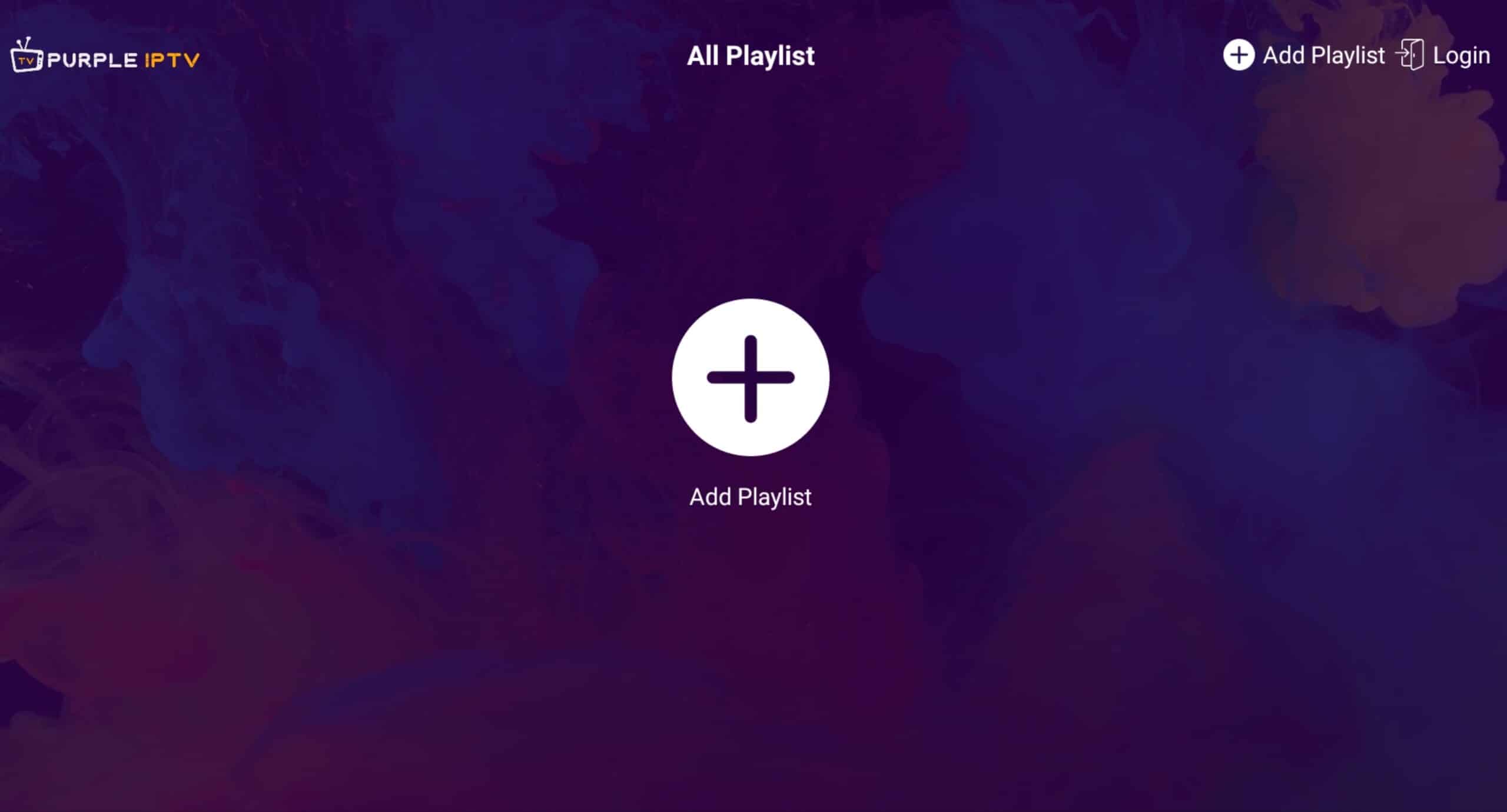
- Select + Add Playlist. You need to add your playlist now by pressing the + button.

- Choose which method to add the playlist. You need to choose which method you want to add the list. We recommend choosing Login With Xtream URL, which is supported by more than 95% of IPTV providers. Otherwise, you can use M3U Link by choosing Load Playlist from URL
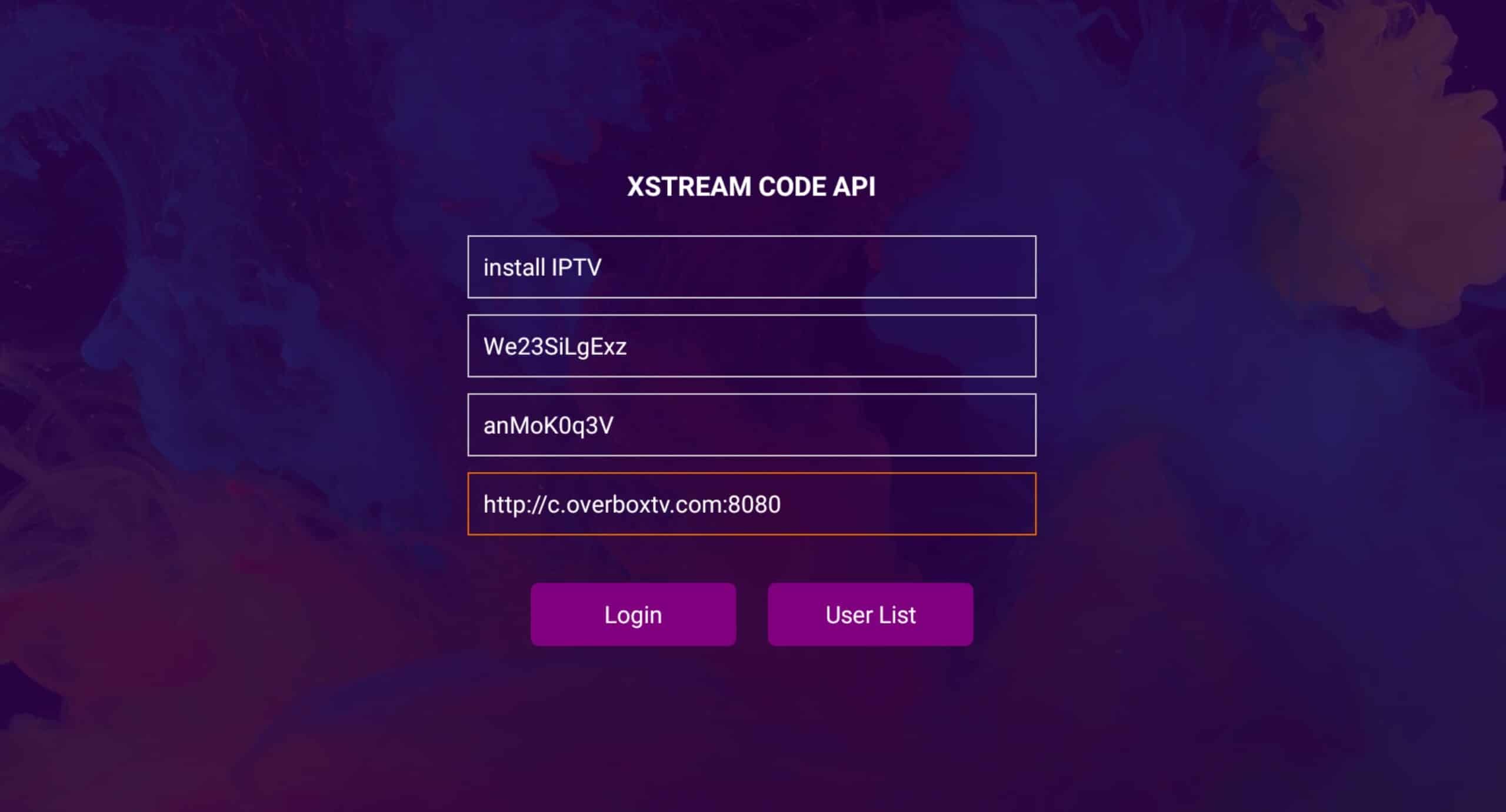
- Enter Xtream details. Choose a name for your list (it can be any name- in case: install IPTV ) in the first field, and Xtream codes USERNAME, PASSWORD, and SERVER URL, which are provided by your IPTV service provider, then press Login
Note: You can extract Xtream codes API details from M3u link too
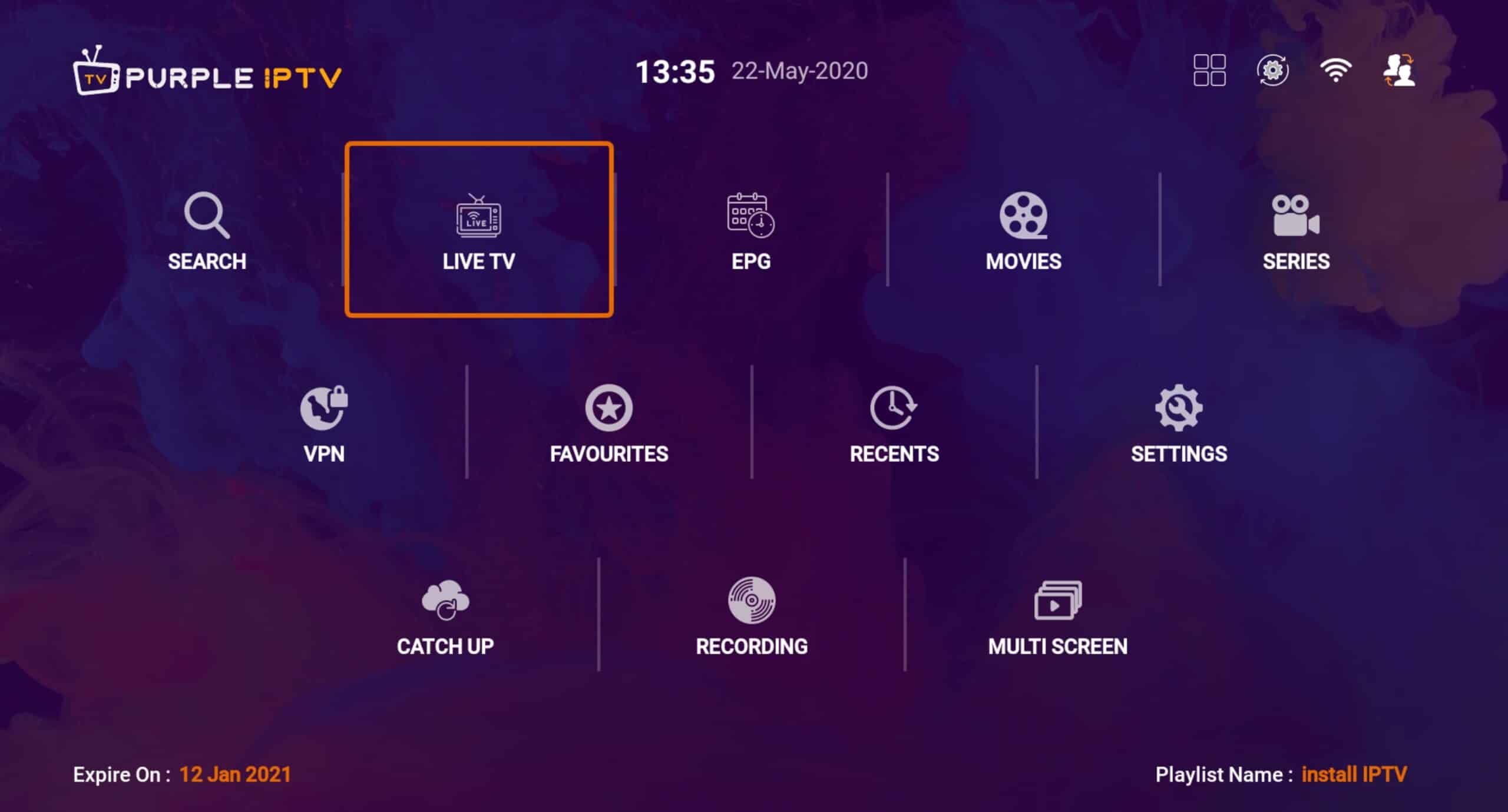
- You are logged in. Done! You are logged in, and services are available now.
Live TV: View channel groups like countries.
EPG: Show TV channels based on Program guides.
Movies: Show movies
Series: Show TV series
VPN: You can connect to a virtual private network to watch anonymously or bypass ISP blocks or parasites.
Favourites: You can create a list of your favourite TV, movies, and series. They will show in this section as a list.
Recents: Latest TV, movie, or TV show watched by the user.
FAQs: How to find Xtream Codes details? Xtream Codes API information includes server URL, username, and password. You can extract Xtream Codes information from M3u link . look at this example: How to install IPTV smart Purple on Fire TV / Fire stick? You can download the APK of IPTV smart Purple via a direct link using the Downloader app on Fire TV. Follow these steps:
1- Install Downloader on your Amazon Fire TV.
2- Select the nav tabs from the home screen by pressing up, and scroll right to reach Settings. From this menu, select Device. Next, pick Developer Options, and you should see a sub-menu that includes the entry ‘Apps from Unknown Sources’. Select it, making sure it reads ON underneath.
3- Go back to the Downloader app. On the app’s initial page, you’ll see a white box into which you can type a URL. Select it and type in: http://install-iptv.com/iptv-purple
Then install it.
 How to install IPTV smart Purple on Fire TV / Fire stick? You can download the APK of IPTV smart Purple via a direct link using the Downloader app on Fire TV. Follow these steps: