
Overview
It's one of multiple platform support applications to run your IPTV subscription content. Duplex IPTV have easy to use interface and easy IPTV installation.
The most important features are:
1- Multiple favorite lists
2- EPG support
3- Fast zapping
4- Small Preview beside channels list
5- Channels list over channel screen.
6- Parental Control
Install Duplex IPTV
This IPTV application is available for many different operating systems and devices :
Android and Android TV play store: https://play.google.com/store/apps/details?id=com.duplex.play.ck.duplexplay
LG smart TV (WebOS): available in the LG content store
Samsung TV (Tizen OS): available in the Official Samsung App Store (USA store only)
Windows and Xbox: Install from Windows Store> https://www.microsoft.com/en-us/p/duplex-iptv/9nl17vql56w4
Amazon Fire TV: Read the FAQ at the end of this article to learn how to install on a Fire TV Stick.
Set up IPTV playlist in Duplex IPTV
Time needed: 4 minutes.
Set up and install IPTV on Duplex IPTV
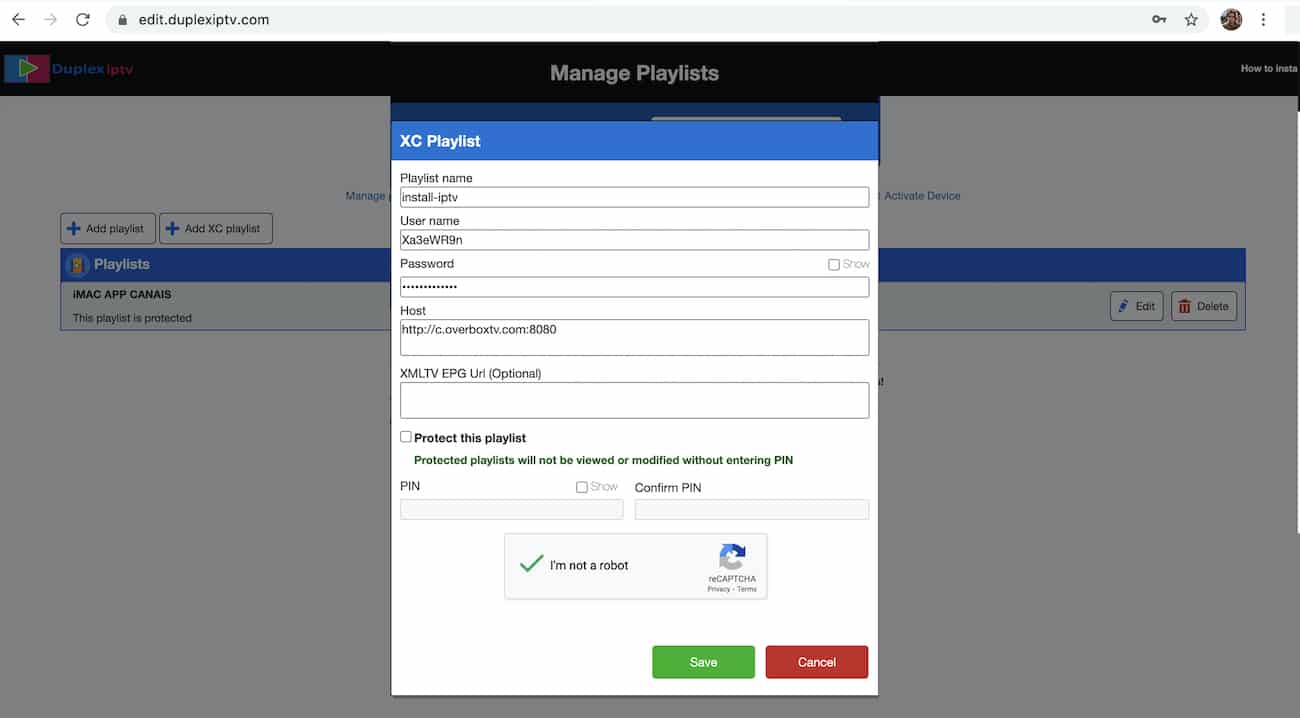
- Note your Device ID and Device KeyAfter installing application, Open it and you will see the Device ID and Device key (You can find it by choose activation tab too)Login into Duplex IPTV management portalNavigate to edit.duplexplay.com and Enter Device ID and Device key you noted in step 1, Then click on Manage DeviceAdd XC PlaylistYou can add playlist via both method M3u Link and Xtream connection, We recommend to connect via XC (xtream) playlist.
Fill in your Xtream connection details, which you must provide from your IPTV provider. If you have not, click here to place an IPTV subscription now.
Playlist Name: You can set any name for your playlist.
Enter Username, Password, and Host (Server URL of Xtream connection). Activate Captcha and click on Save.
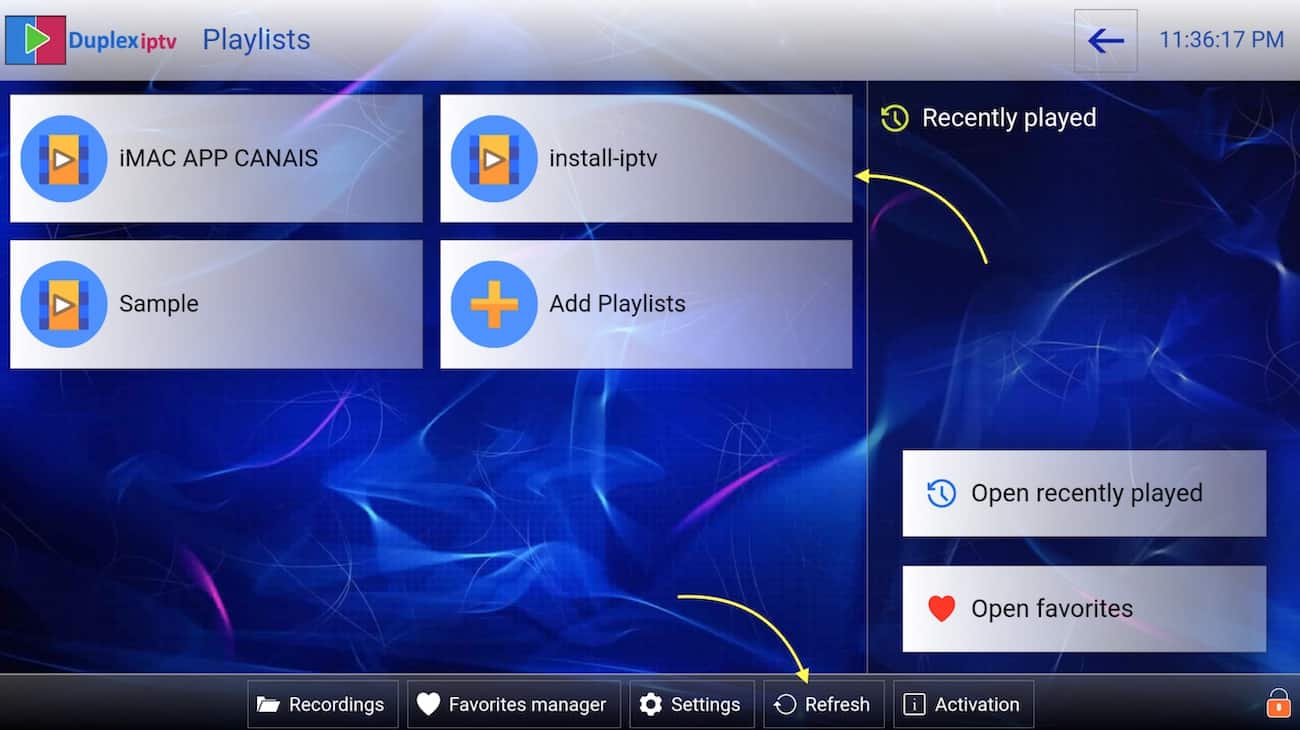
Refresh Playlists in the application. Then go back to the Duplex IPTV application and choose Refresh to reload Playlists. Then the playlist name must appear. FAQ
FAQ
How to install Duplex IPTV on Fire TV Stick?
- You can download the APK of Duplex IPTV via a direct link using the Downloader app on Fire TV. Follow these steps:
1- Install Downloader on your Amazon Fire TV.
2- Select the nav tabs from the home screen by pressing up, and scroll right to reach Settings. From this menu, select Device. Next, pick Developer Options, and you should see a sub-menu that includes the entry ‘Apps from Unknown Sources’. Select it, making sure it reads ON underneath.
3- Go back to the Downloader app. On the app’s initial page, you’ll see a white box into which you can type a URL. Select it and type in:
https://www.install-iptv.com/how-install-iptv/smarttv/duplex-iptv/
Then install it.
 FAQ
FAQ