

How to Install TiviMate
on Firestick & Android TV
This complete 2026 guide shows you how to install TiviMate on Amazon Firestick, Fire TV, Android TV, Google TV, NVIDIA Shield and compatible Android TV boxes.
📺 Fire TV
🤖 Android TV
🔵 Google TV
🟢 NVIDIA Shield
Get an Instant FREE 36-Hour Xtreme HD IPTV Trial
TiviMate is an IPTV player—it does not include an IPTV subscription. If you need a service to use with TiviMate, try Xtreme HD IPTV sold by XtremeDiscount completely FREE for 36 hours.
🔥 START MY FREE 36-HOUR IPTV TRIAL
No payment information required for the free trial.
What You'll Learn
Whether you're setting up TiviMate for the first time or reinstalling it on a new device, we'll walk through the entire process from beginning to end.
📺 What Is TiviMate?
TiviMate is an Android-based IPTV player designed specifically for televisions and remote-controlled streaming devices. Its interface makes it easy to browse Live TV, an electronic program guide, movies, TV series, favorites and IPTV categories.
That's why this guide covers both parts: installing TiviMate and connecting your IPTV login information.
Already Know How to Sideload Apps?
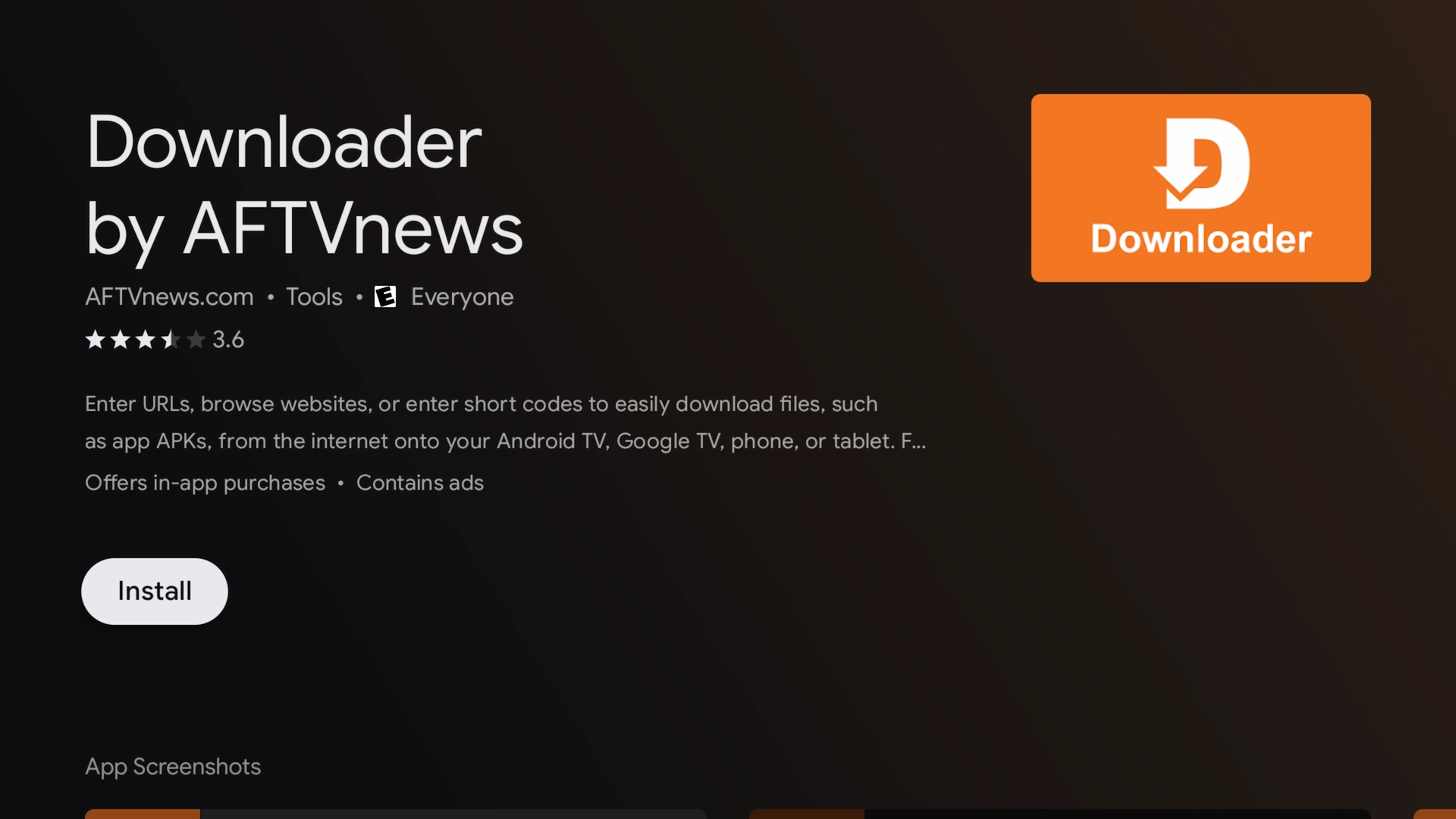
Install the Downloader App
Downloader makes it easy to download and install the TiviMate APK on compatible Fire TV and Android TV devices.
Amazon Firestick / Fire TV
2. Select Search.
3. Search for Downloader.
4. Select the Downloader app.
5. Choose Download or Get.
Android TV / Google TV
Open the Google Play Store on your device, search for Downloader, and install the application.
Enable Developer Options & Unknown Apps
Before Downloader can install TiviMate on a Firestick, you'll need to allow it to install applications from outside the Amazon Appstore.
Open My Fire TV
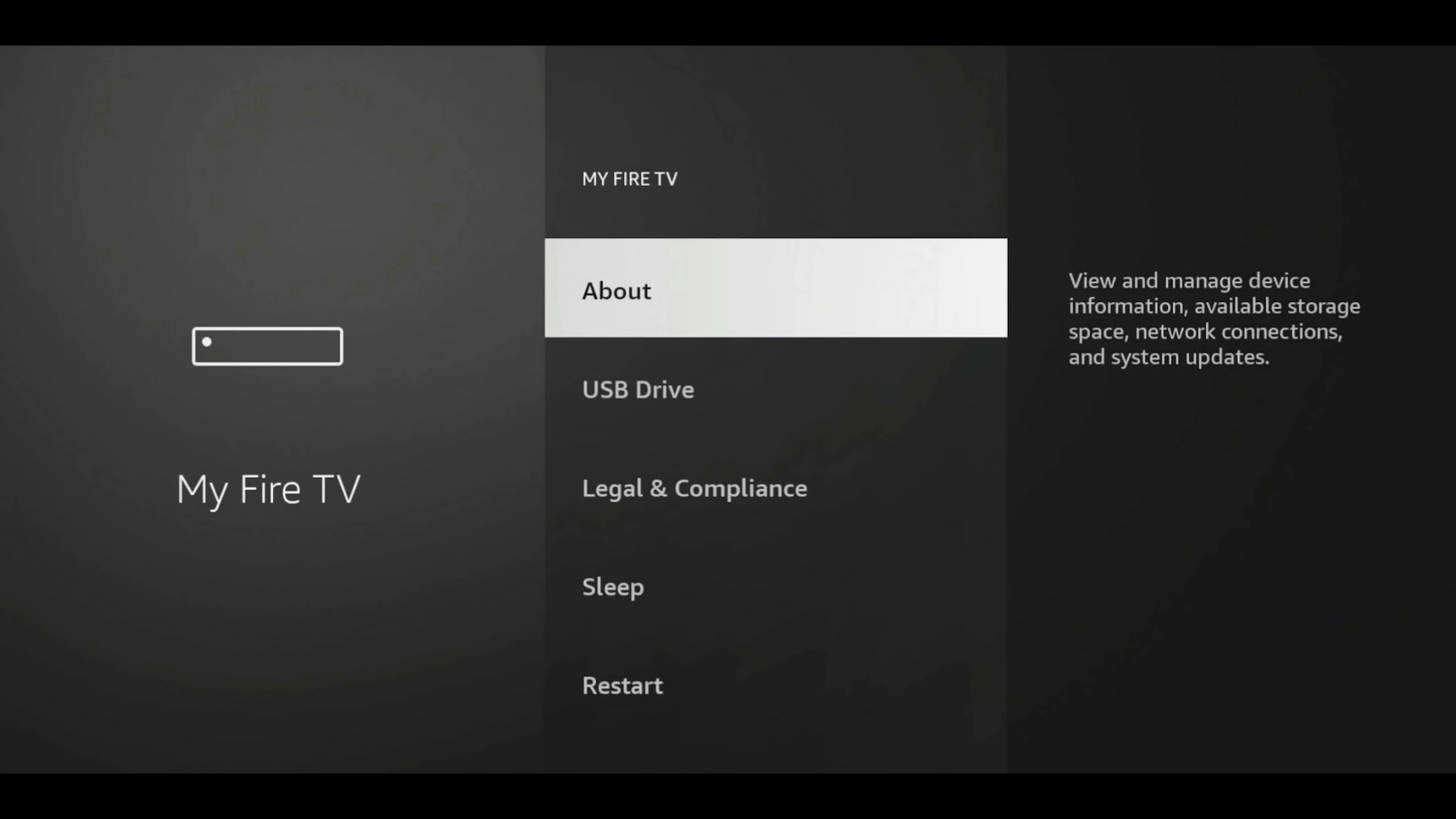
Go to Settings → My Fire TV.
Select About
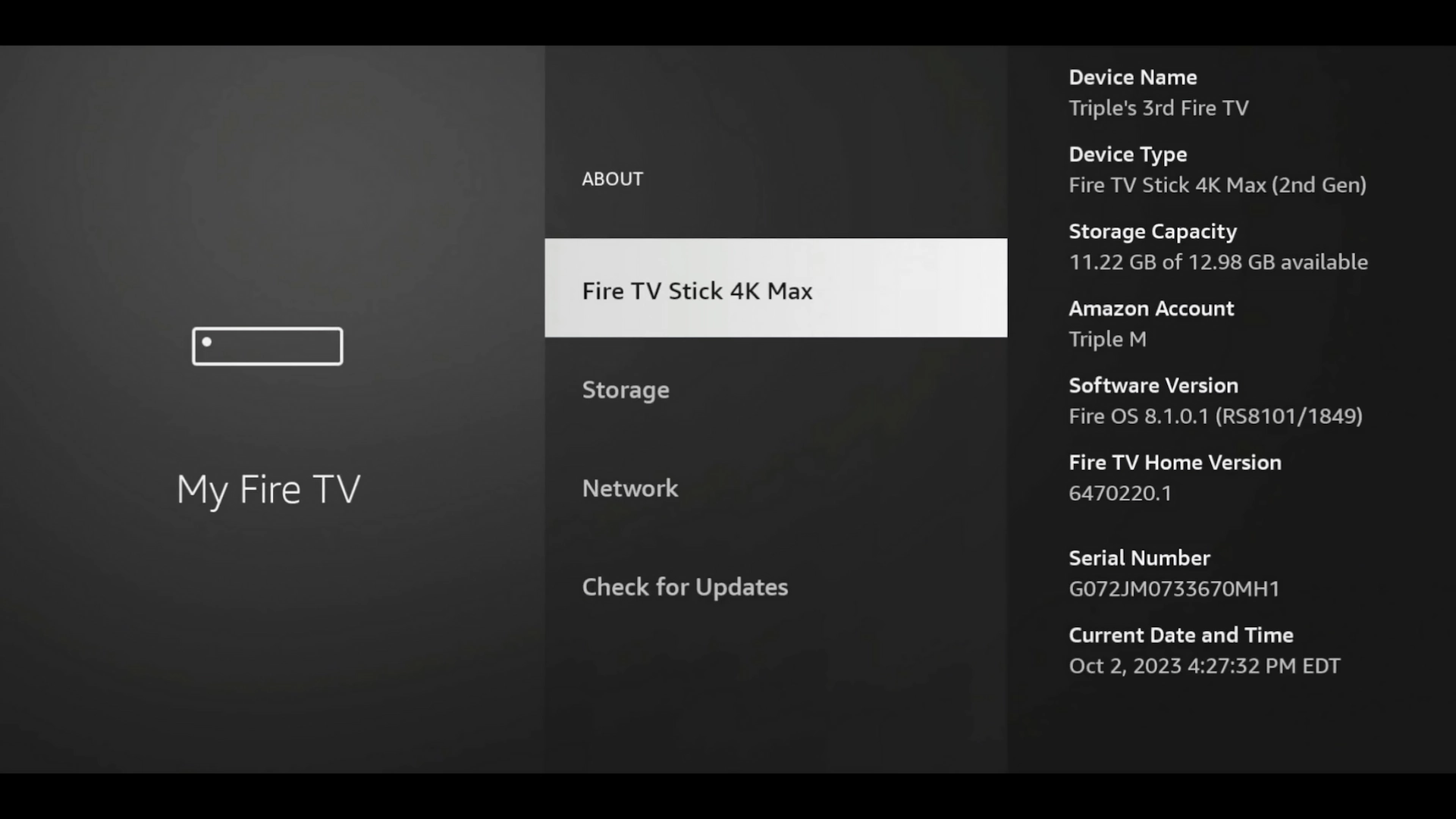
Inside My Fire TV, select About.
Reveal Developer Options
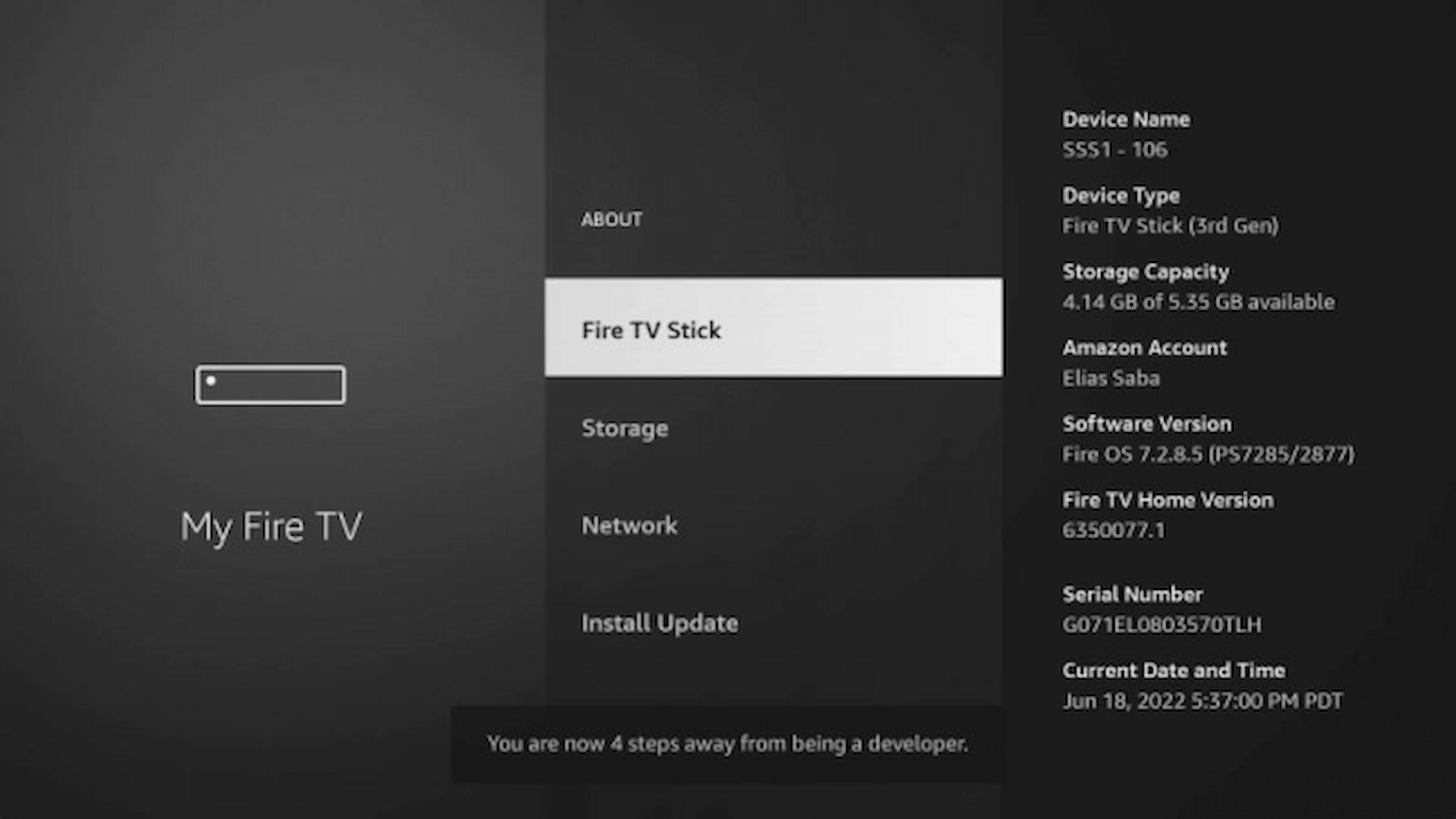
Highlight the name of your Fire TV device and press the center Select button 7 times.
Allow Downloader to Install Apps
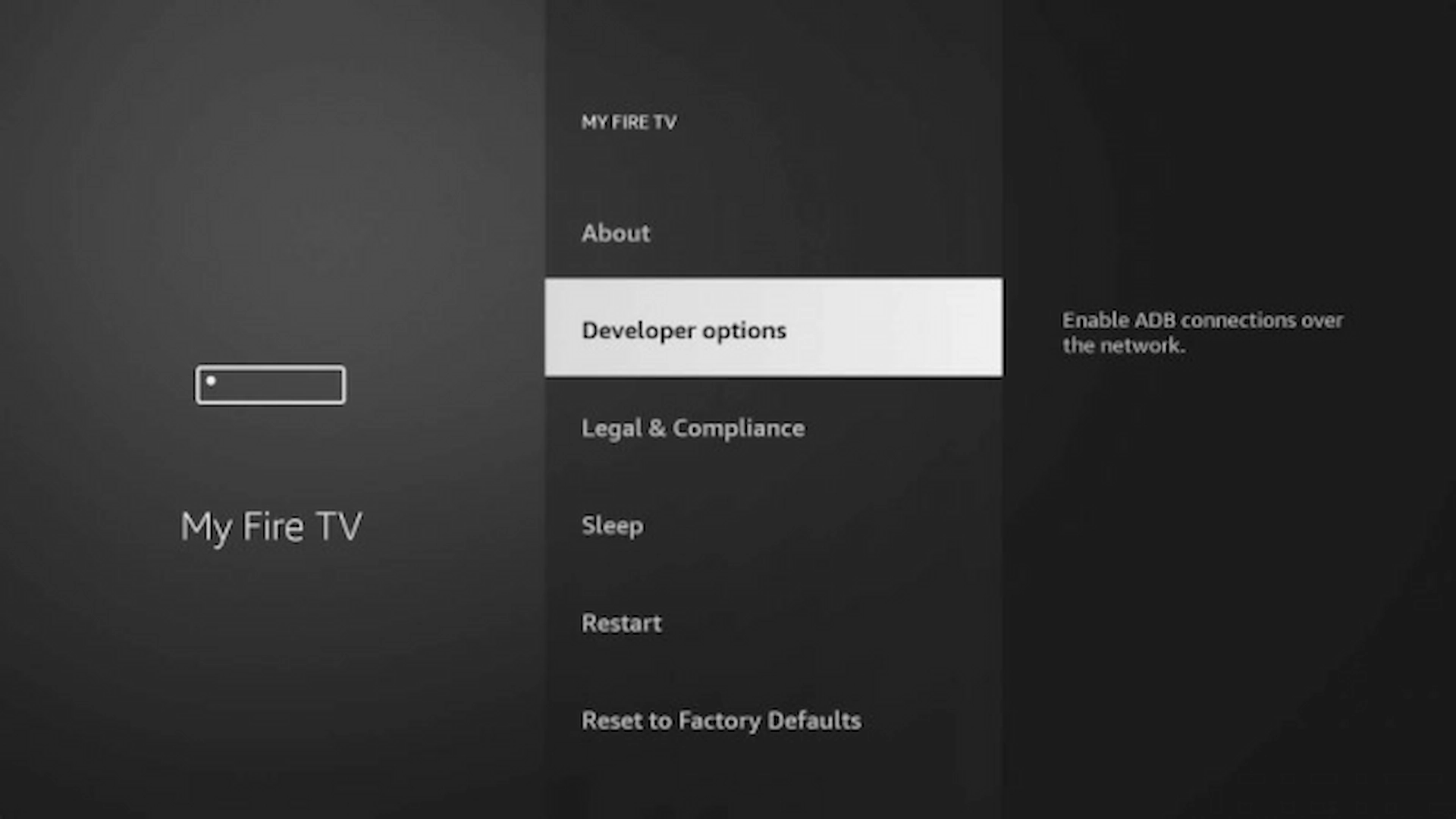
Return to Developer Options, open Install Unknown Apps, select Downloader and change it to ON.
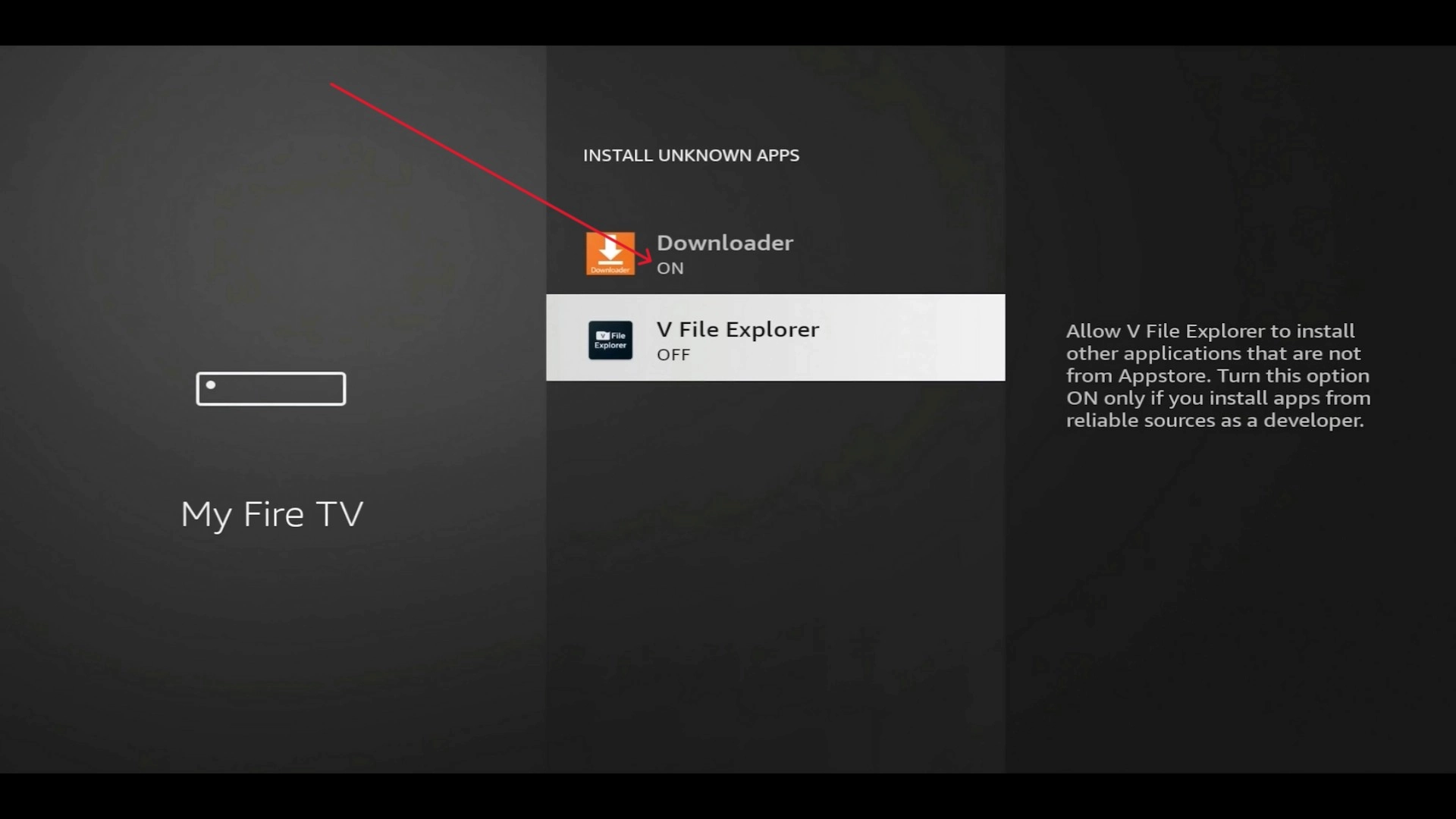
The exact menu can vary by manufacturer. Look for an option similar to Settings → Apps → Special App Access → Install Unknown Apps, then allow Downloader to install applications.
Download & Install TiviMate
Now open Downloader and use the TiviMate download code.
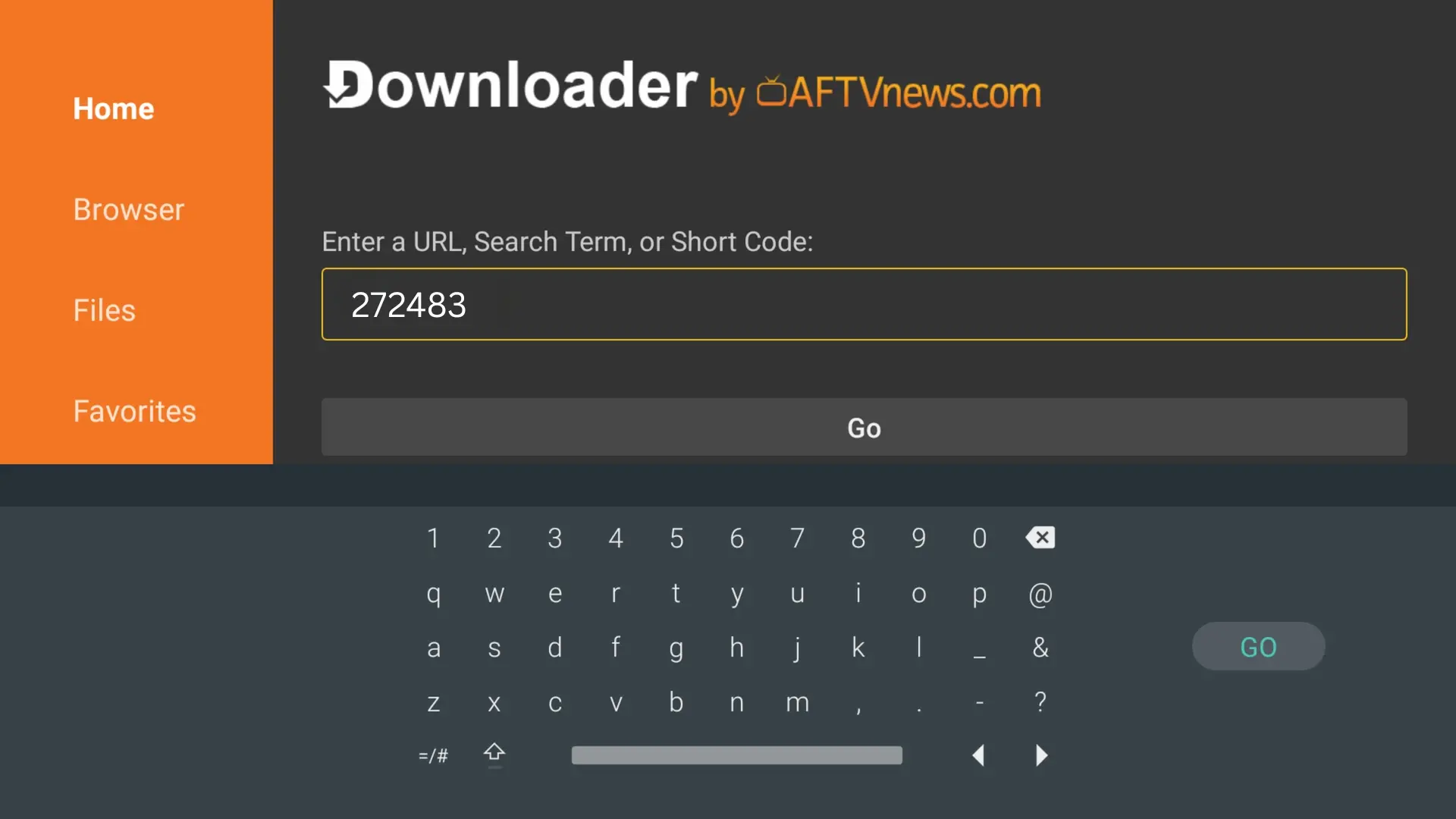
Once the APK finishes downloading, the Android installation window should appear.
2. Wait for TiviMate to finish installing.
3. Select Open.
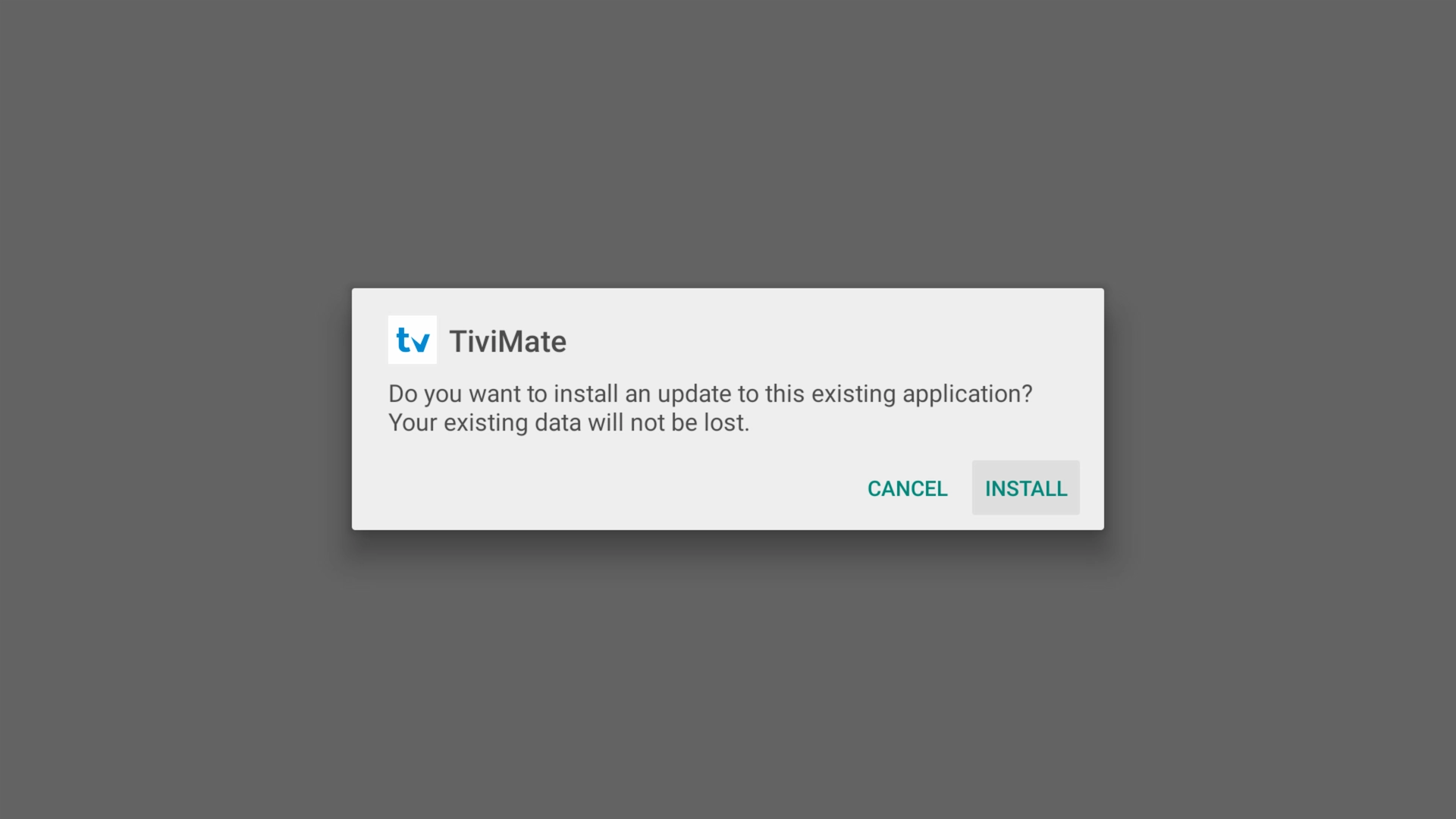
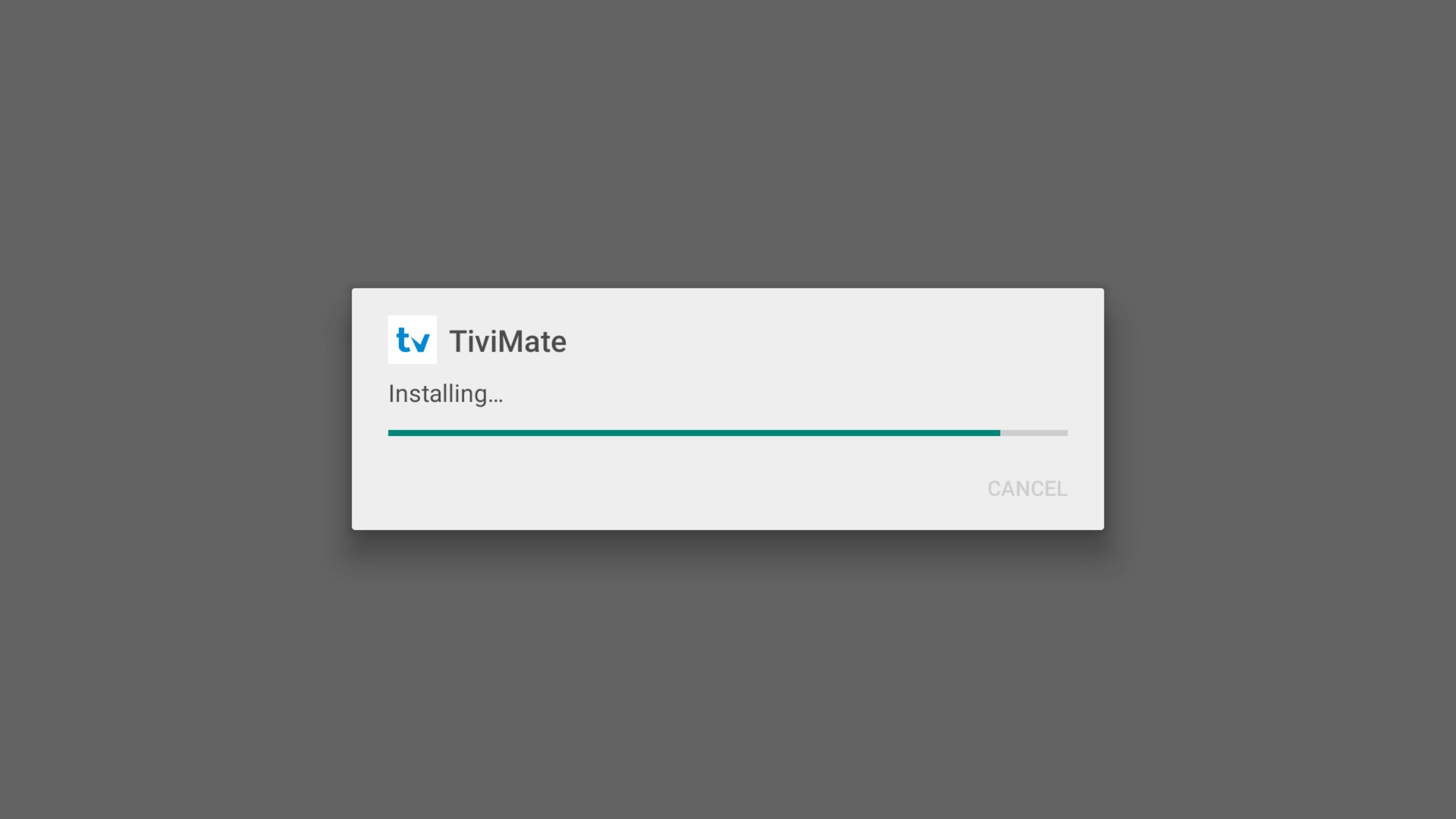
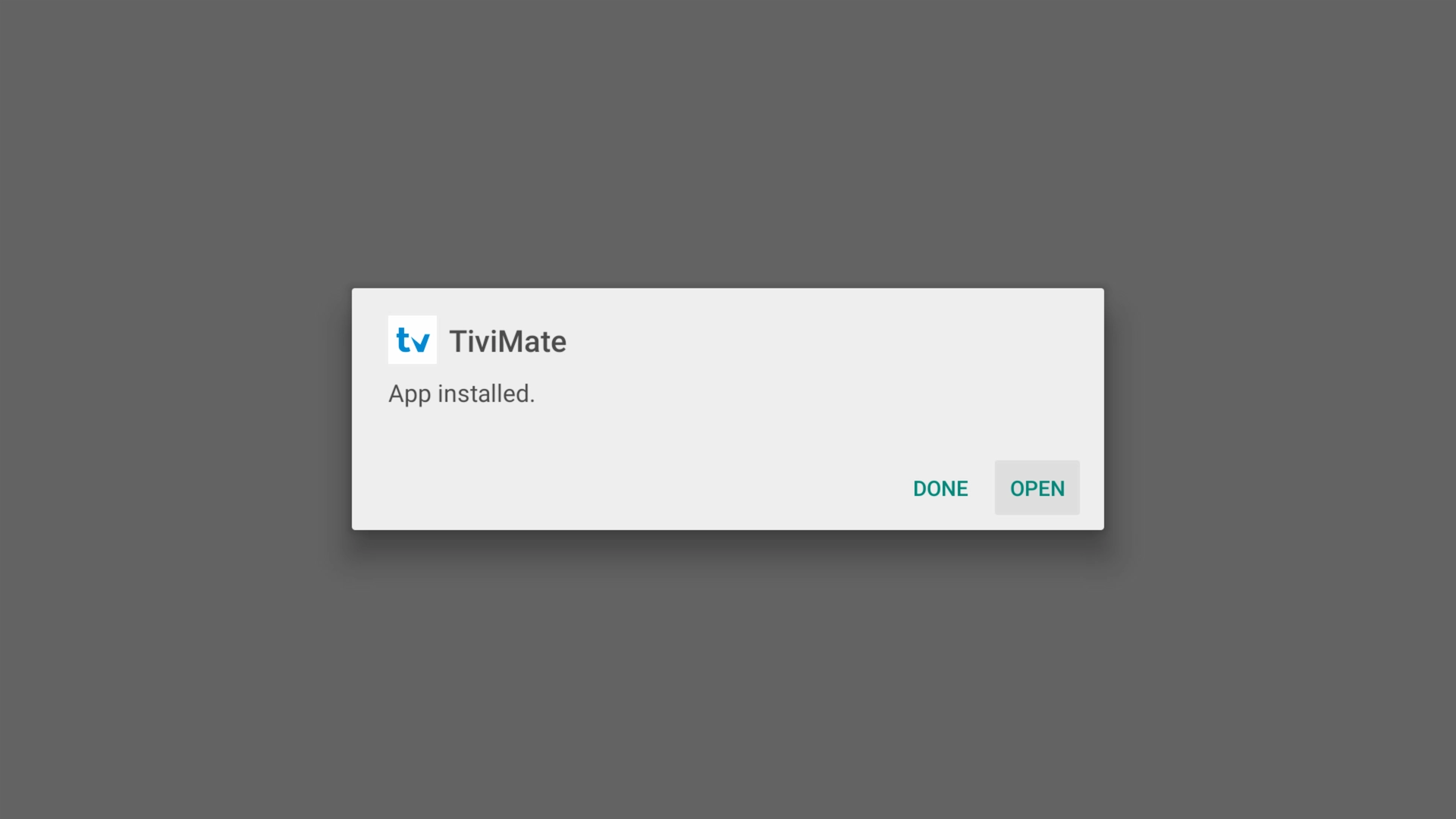
After installation, Downloader may ask whether you want to delete the downloaded APK. You can delete the installation file after TiviMate has successfully installed to free some storage space.
Don't have an IPTV subscription yet? Start an instant FREE 36-hour Xtreme HD IPTV trial. You'll receive the IPTV credentials needed to complete the next step in TiviMate.
Try Xtreme HD IPTV FREE for 36 hours • No payment information required
Add Your IPTV Playlist with Xtream Codes
After opening TiviMate, connect the app to your IPTV service using the login information supplied by your provider.
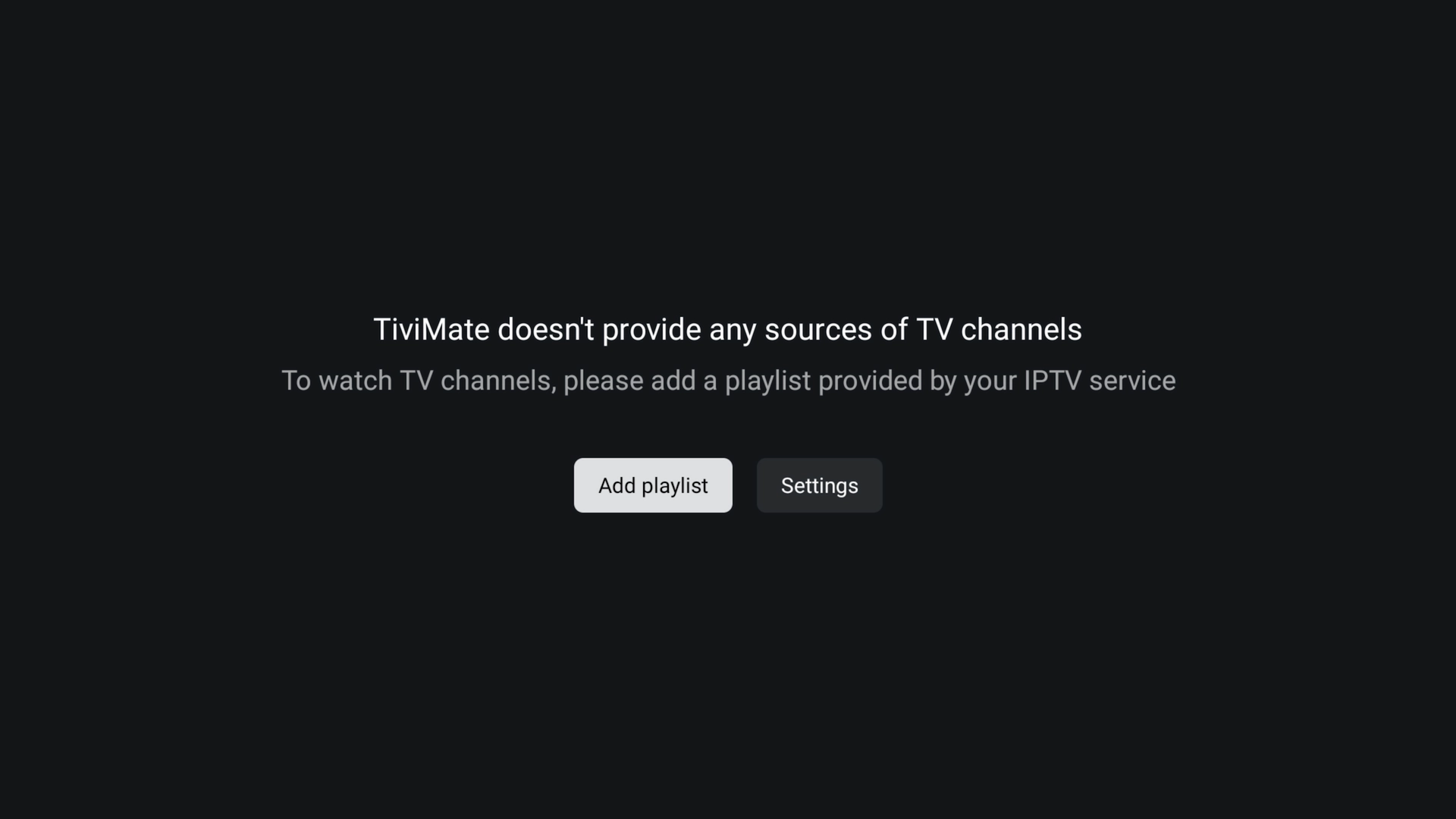
Select Add Playlist
On the TiviMate welcome screen, choose Add Playlist.
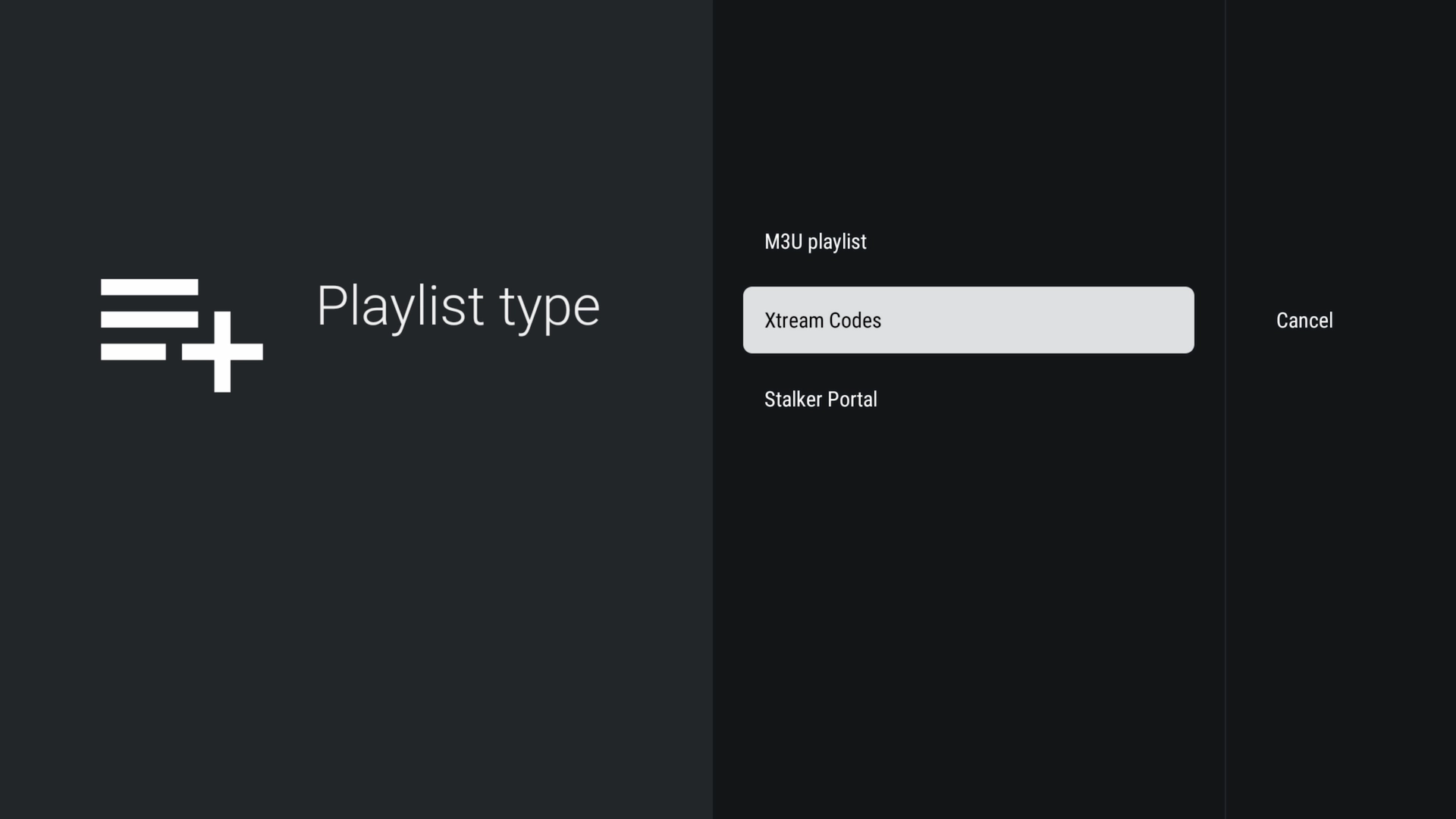
Choose Xtream Codes
Select Xtream Codes. This method allows you to connect using a Server Address, Username and Password.
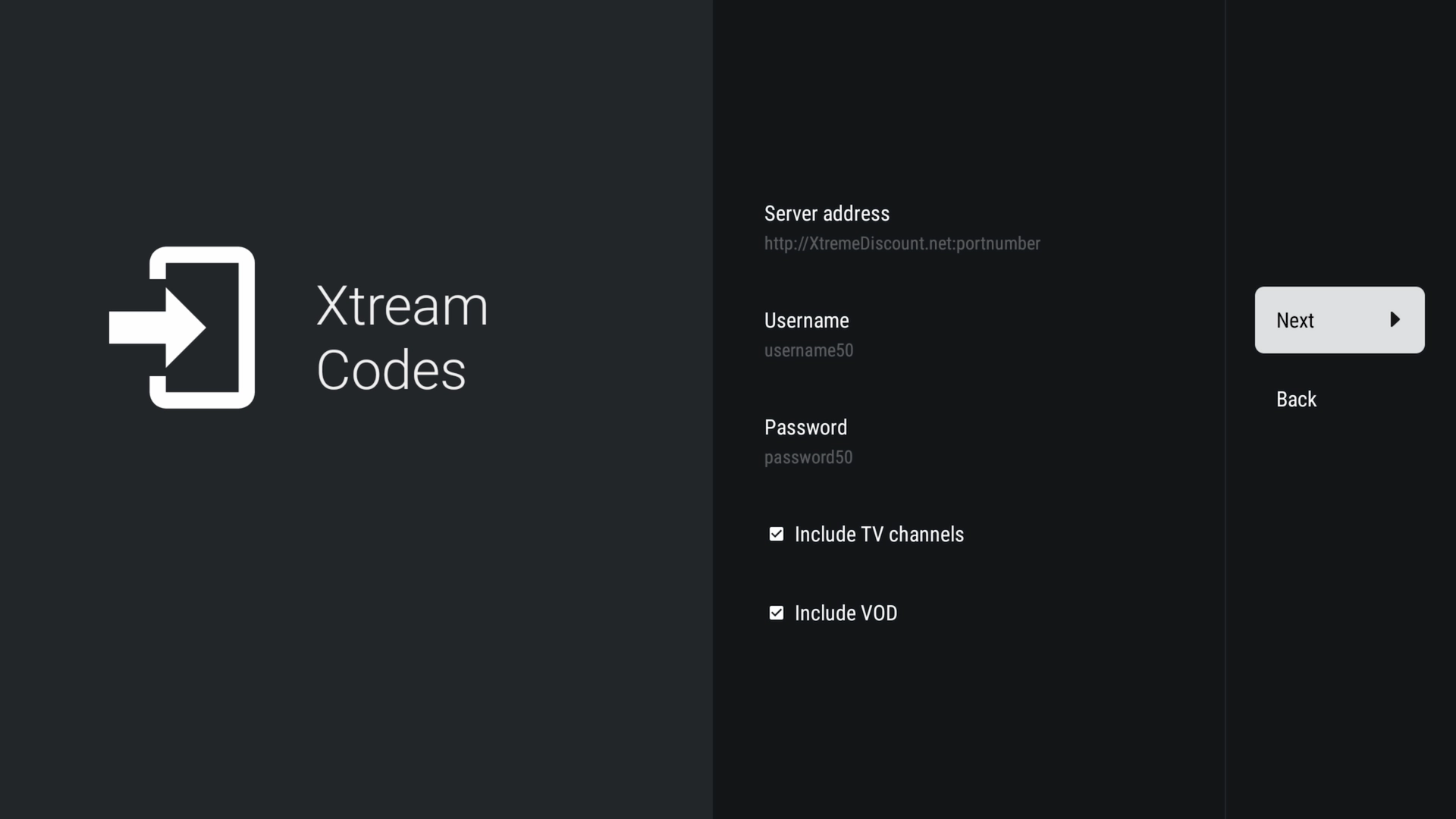
Enter Your IPTV Credentials
Username: Enter your IPTV username.
Password: Enter your IPTV password.
Enter everything exactly as provided. Usernames and passwords may be case-sensitive.
Wait for TiviMate to Process the Playlist
TiviMate will connect to your provider and begin loading the available playlist information. Large channel, movie and TV-series libraries can take a little longer to process.
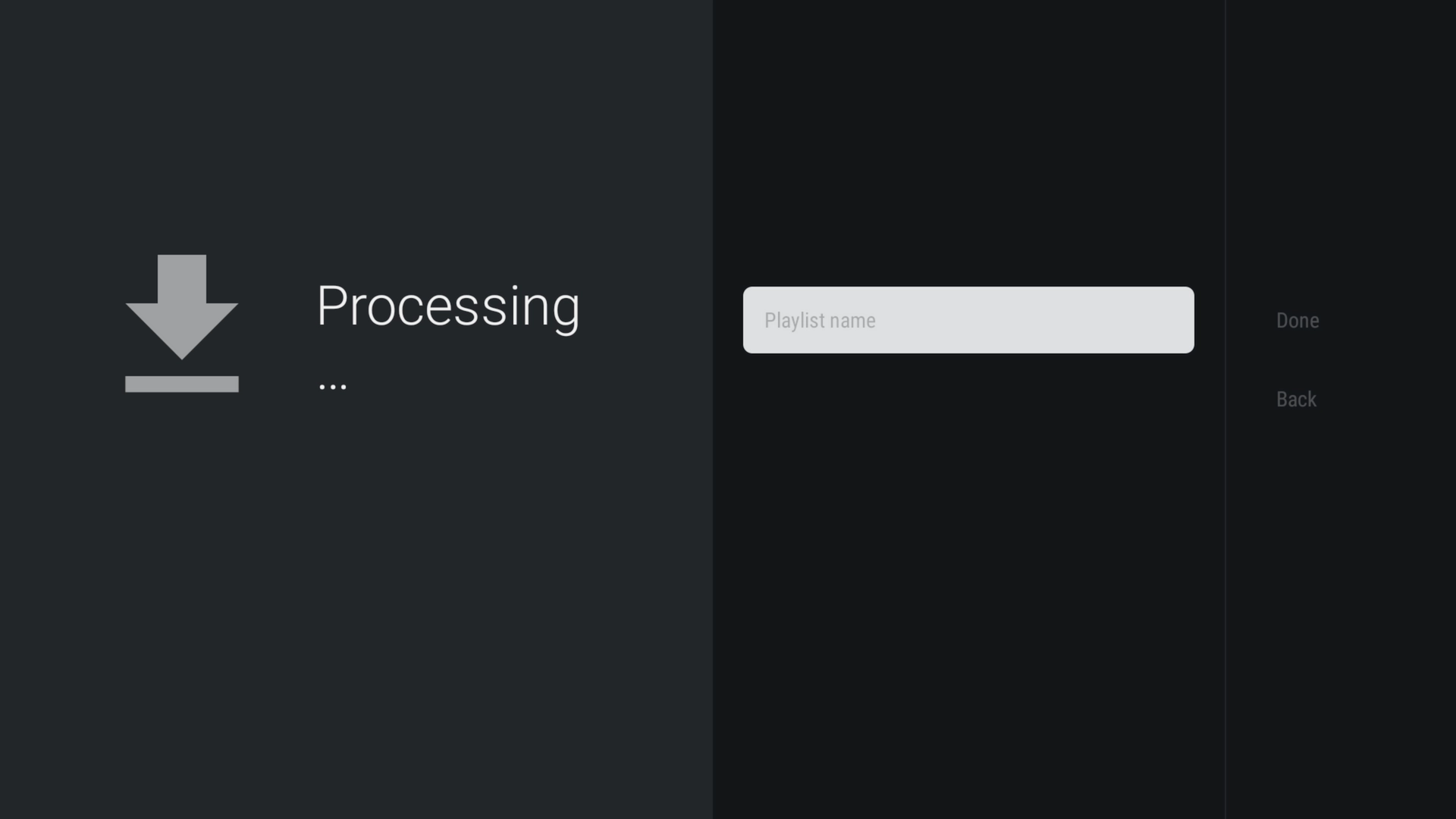
Name Your Playlist
Give the playlist a recognizable name and select Done.
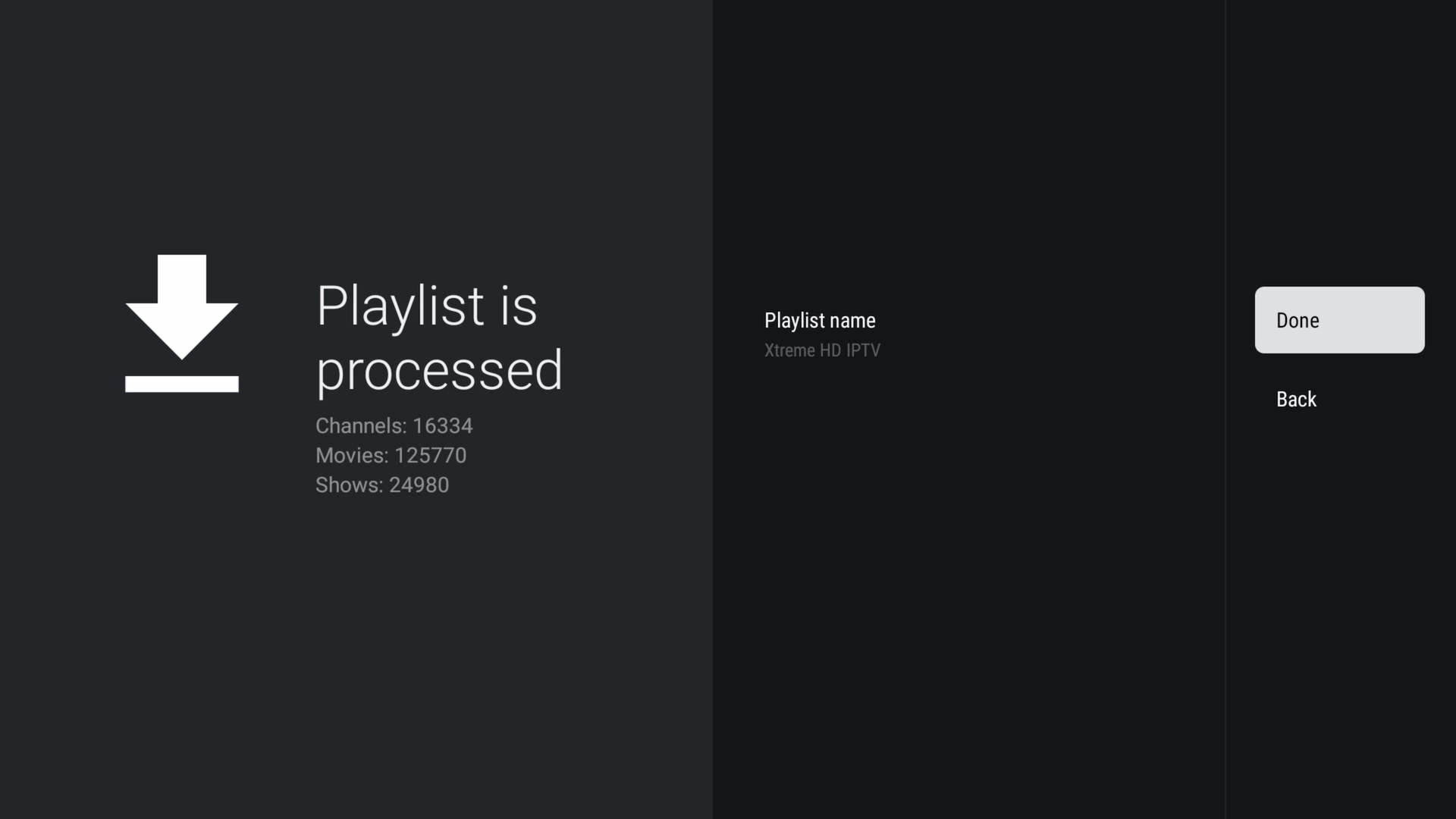
Your IPTV playlist is now connected to TiviMate.
Explore the TiviMate Interface
Once your IPTV playlist finishes loading, TiviMate organizes the content supplied by your provider into an easy-to-navigate television interface.
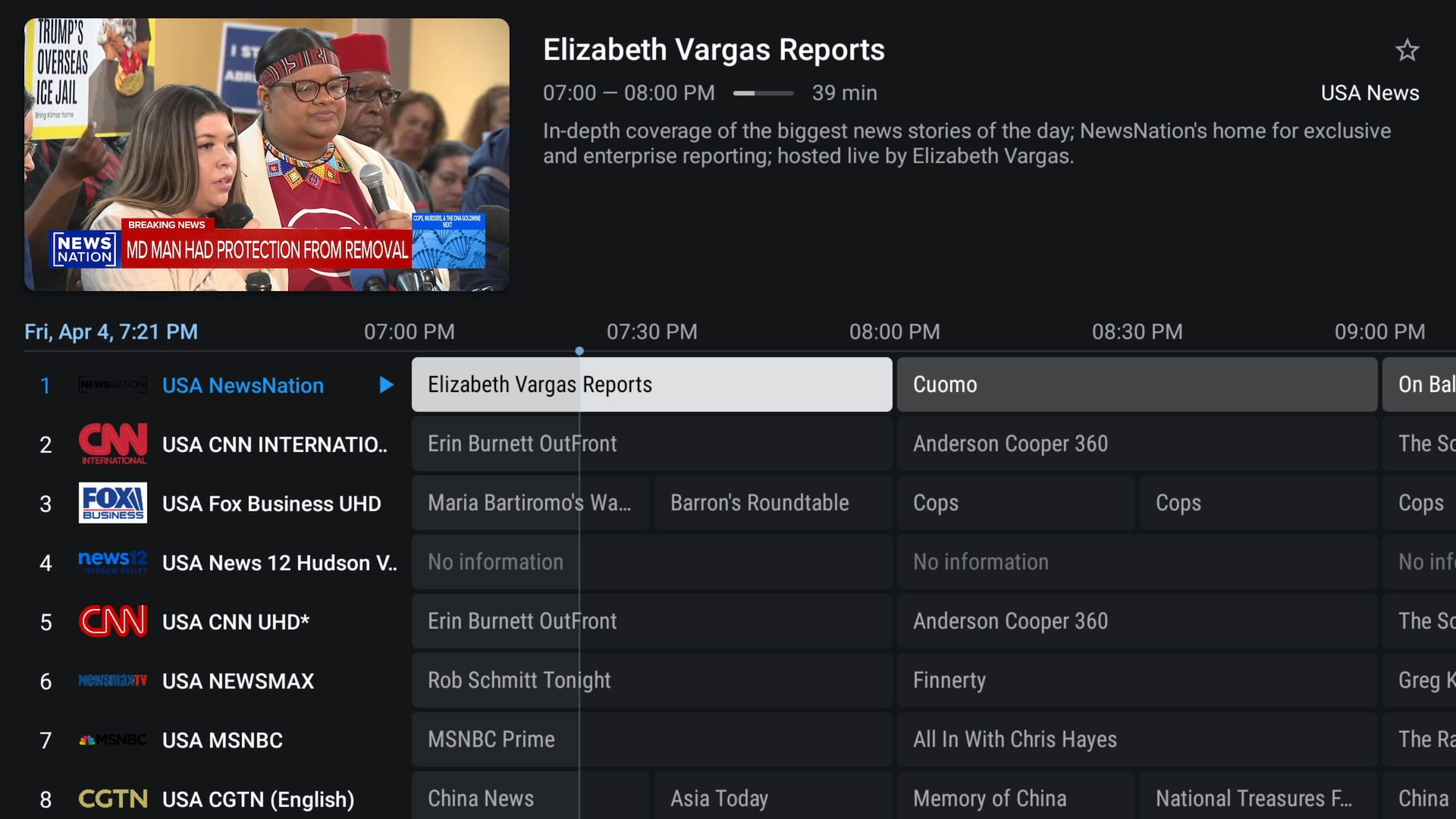
📺 Live TV, Movies & Series
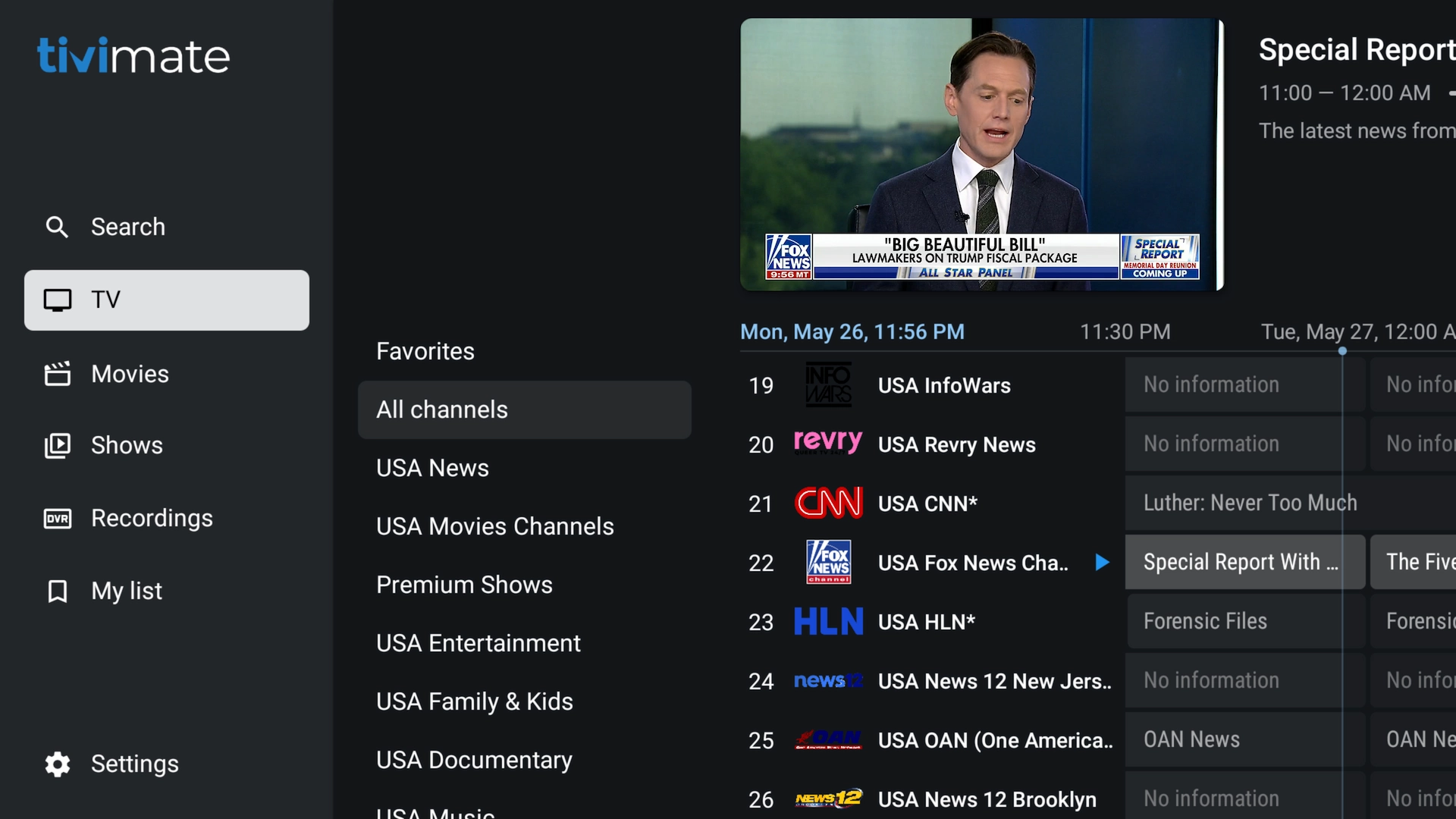
📂 Live Channel Categories
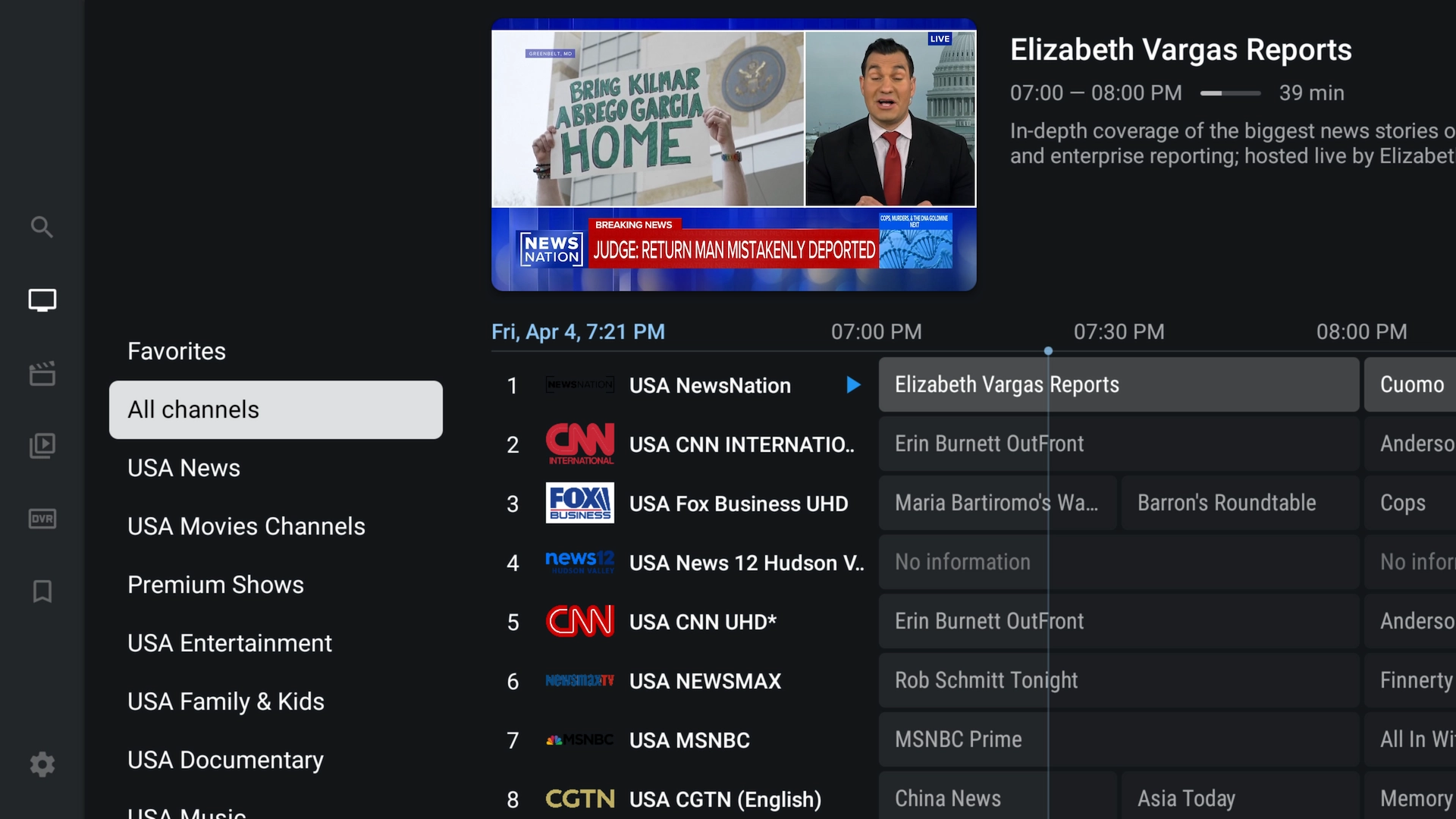
📅 Electronic Program Guide
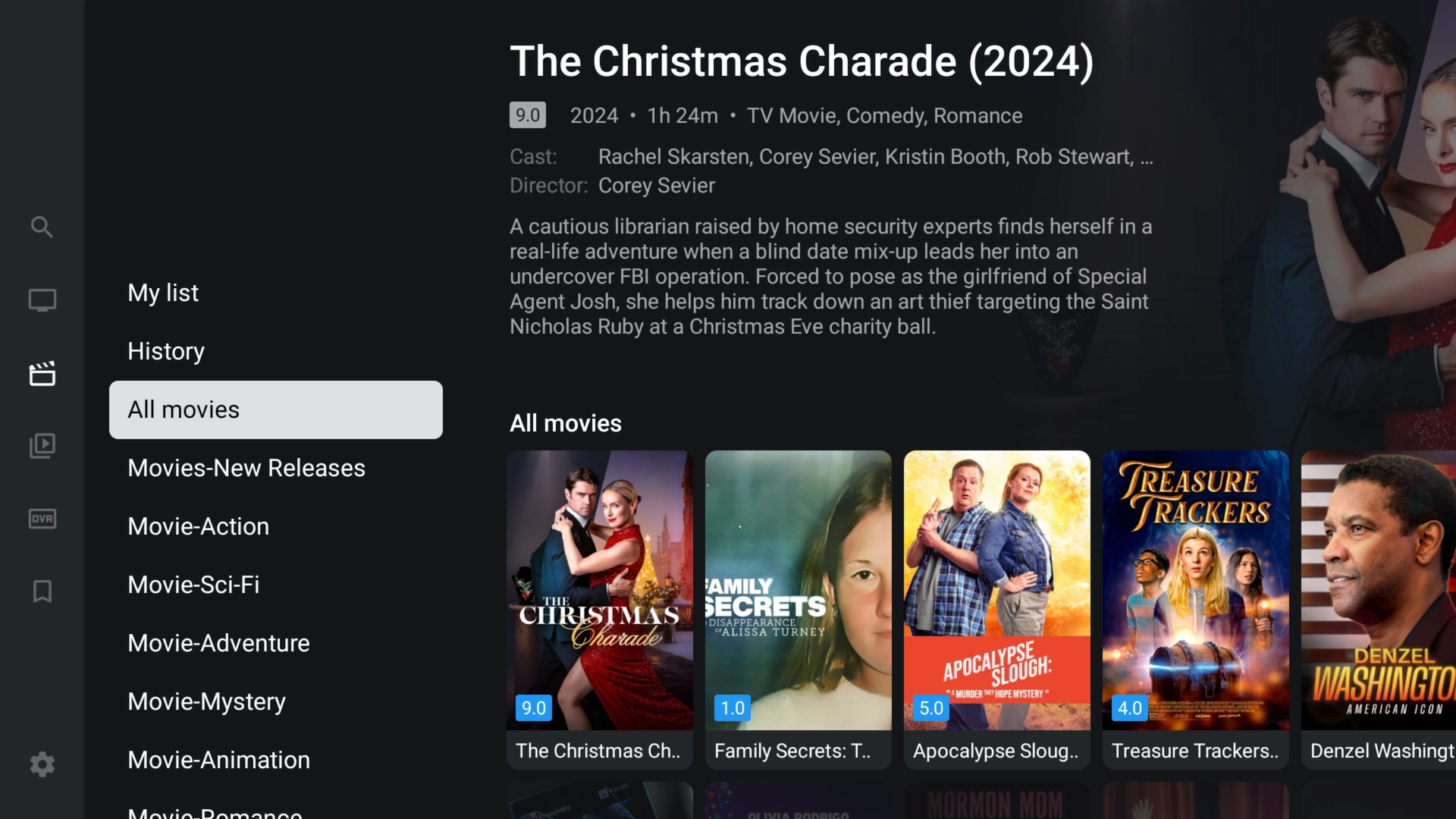
🎬 Movies
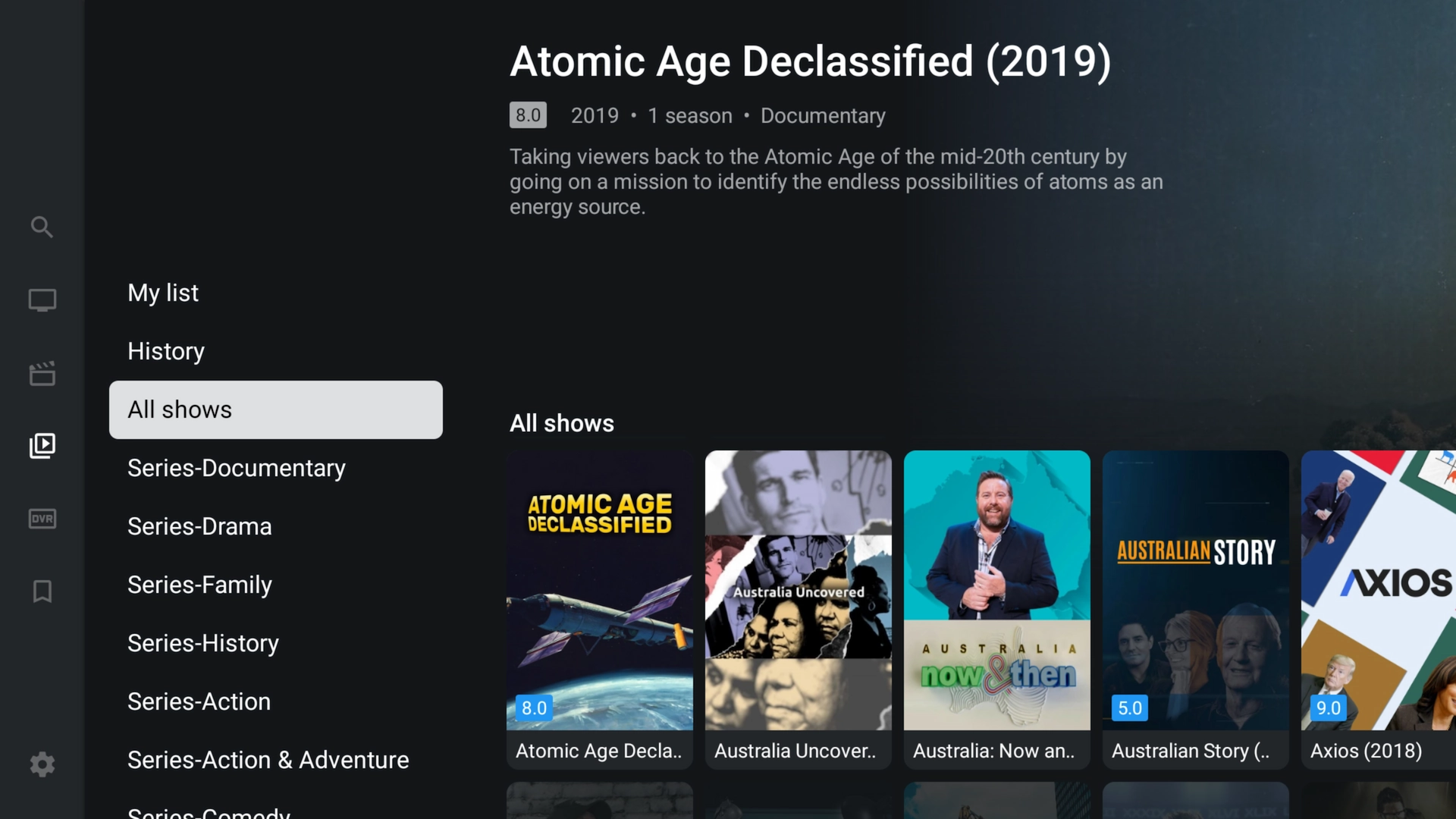
🍿 TV Series
⭐ TiviMate Free vs. Premium
Regular TiviMate can be installed and used with basic functionality. TiviMate also offers optional Premium functionality that requires a separate TiviMate Premium purchase.
🔄 How to Update TiviMate
When a newer TiviMate version becomes available, you can normally install the newer APK directly over your existing installation.
2. Enter 272483 or tivimate.com/apk.
3. Download the current APK.
4. Install it over your existing TiviMate installation.
Installing an update over the existing app should normally preserve your local settings. Uninstalling TiviMate can remove locally saved playlists and settings.
🛠️ TiviMate Troubleshooting
Make sure Downloader has permission to install unknown applications. On Firestick, return to Developer Options → Install Unknown Apps and verify that Downloader is ON.
Check that your device has enough available storage. Restart the device and download the APK again if the original download may have been incomplete.
Check the Server URL, Username and Password carefully. Make sure there are no extra spaces and that the server address includes the correct HTTP or HTTPS prefix and port when one was supplied.
Allow the EPG time to download after adding your playlist. You can also manually update the EPG from TiviMate settings. Guide information depends on the data supplied by your IPTV provider.
Buffering can have several causes, including Wi-Fi interference, internet speed, network routing, device performance, or a provider-side problem. Restart your device and router, close unnecessary apps, and test Ethernet when available.
Try Xtreme HD IPTV FREE
Get an instant 36-hour trial and use the provided IPTV credentials with TiviMate. It's an easy way to test the service on the device you just configured.
❓ Frequently Asked Questions
Downloader is one of the easiest ways to sideload TiviMate on Firestick and other compatible Android-based television devices.
Enter 272483 into Downloader. You can also enter tivimate.com/apk.
No. TiviMate is an IPTV player and does not provide an IPTV subscription, television channels, movies or TV series. You must connect a compatible IPTV service.
For the Xtream Codes method shown in this guide, you'll need the Server URL, Username and Password supplied by your IPTV provider.
Yes. New users can get an instant FREE 36-hour Xtreme HD IPTV trial from XtremeDiscount.net and enter the trial credentials into TiviMate.
Yes. TiviMate can be sideloaded onto compatible Amazon Firestick and Fire TV devices using Downloader.
Yes. TiviMate is designed for Android-based television devices and works with compatible Android TV and Google TV hardware.
No. Roku doesn't use the Android operating system and cannot install Android APK files such as TiviMate.
TiviMate is designed for Android-based television devices and is not officially available as an iPhone or iPad app.
Open Downloader again, enter 272483 or tivimate.com/apk, download the newer APK, and install it over your existing installation.
Installing an update directly over your current installation should normally preserve locally saved settings. Uninstalling the app may remove locally stored information.
No. Regular TiviMate and your IPTV service are separate. Optional TiviMate Premium functionality requires its own separate purchase.
You're All Set!
Now Try Xtreme HD IPTV FREE for 36 Hours
You've installed TiviMate. Now connect it to an Xtreme HD IPTV free trial and experience the service for yourself before purchasing a subscription.
🔥 START MY FREE 36-HOUR IPTV TRIAL
No payment information required for the free trial.
💬 Need Help?
Need help setting up TiviMate, starting your free trial, or entering your Xtreme HD IPTV login information? Our support team is available to help.
24/7 Live Chat • Telegram: @XtremeHDChat